11
Using the Remote Control
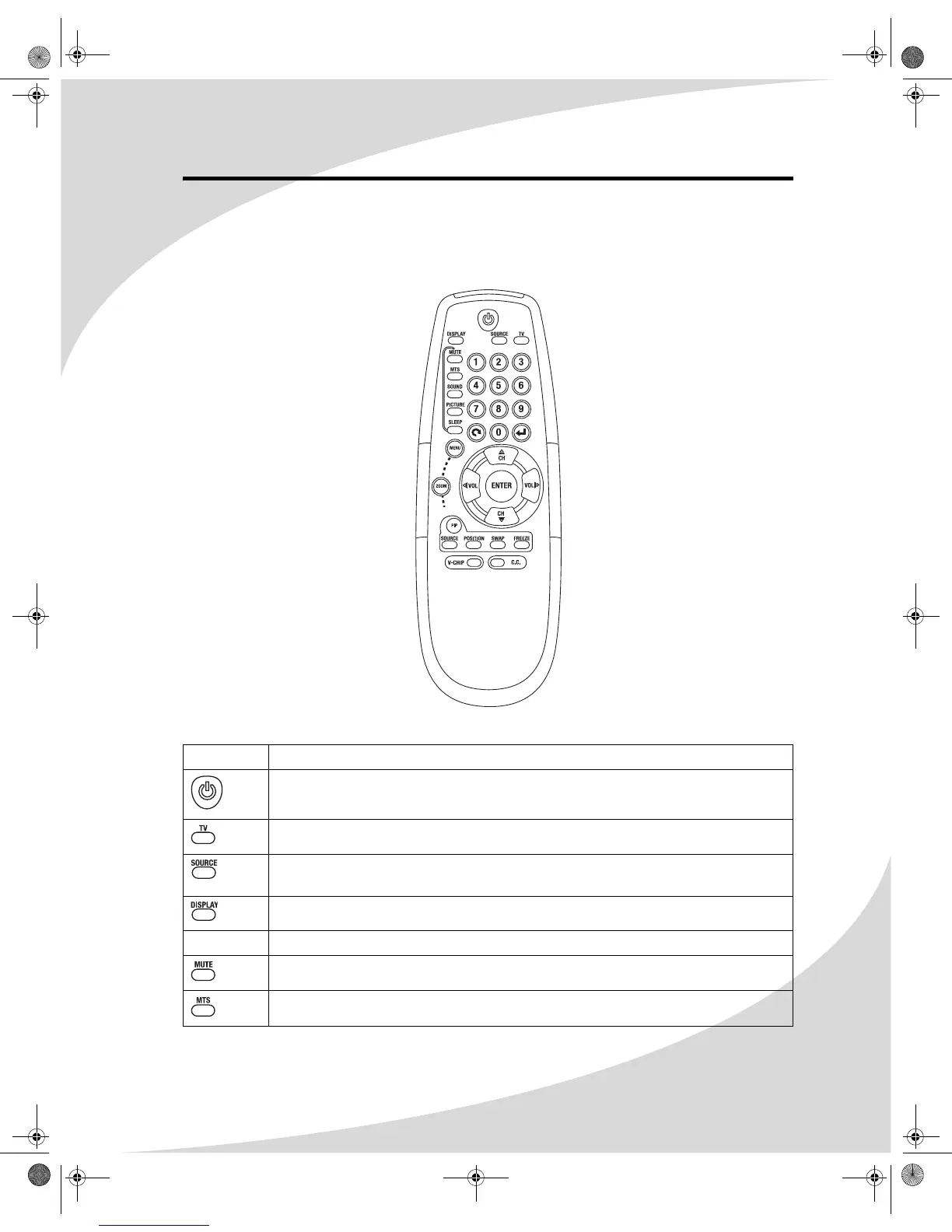
The remote control can be used to control every aspect of the display’s operation and includes
more functionality than the controls on top of the display.
The following is a list of all buttons on the remote and their functions:
Button Function
Turns the display on and off
Sets the signal source directly to TV
Selects the signal source: TV, VGA, DVI, S-Video, AV 1, AV 2, AV 3, Component 1,
or Component 2
Displays current source and television channel information
Keypad Used to enter numbers on the display and to select the television channel
Mutes the audio
Selects the television audio channel: Mono, Stereo, or SAP
OMPLTV32C.book Page 11 Thursday, June 2, 2005 9:07 AM



 To Next Page