Configuring the Display
23
All Reset
Resets all options to factory-default settings.
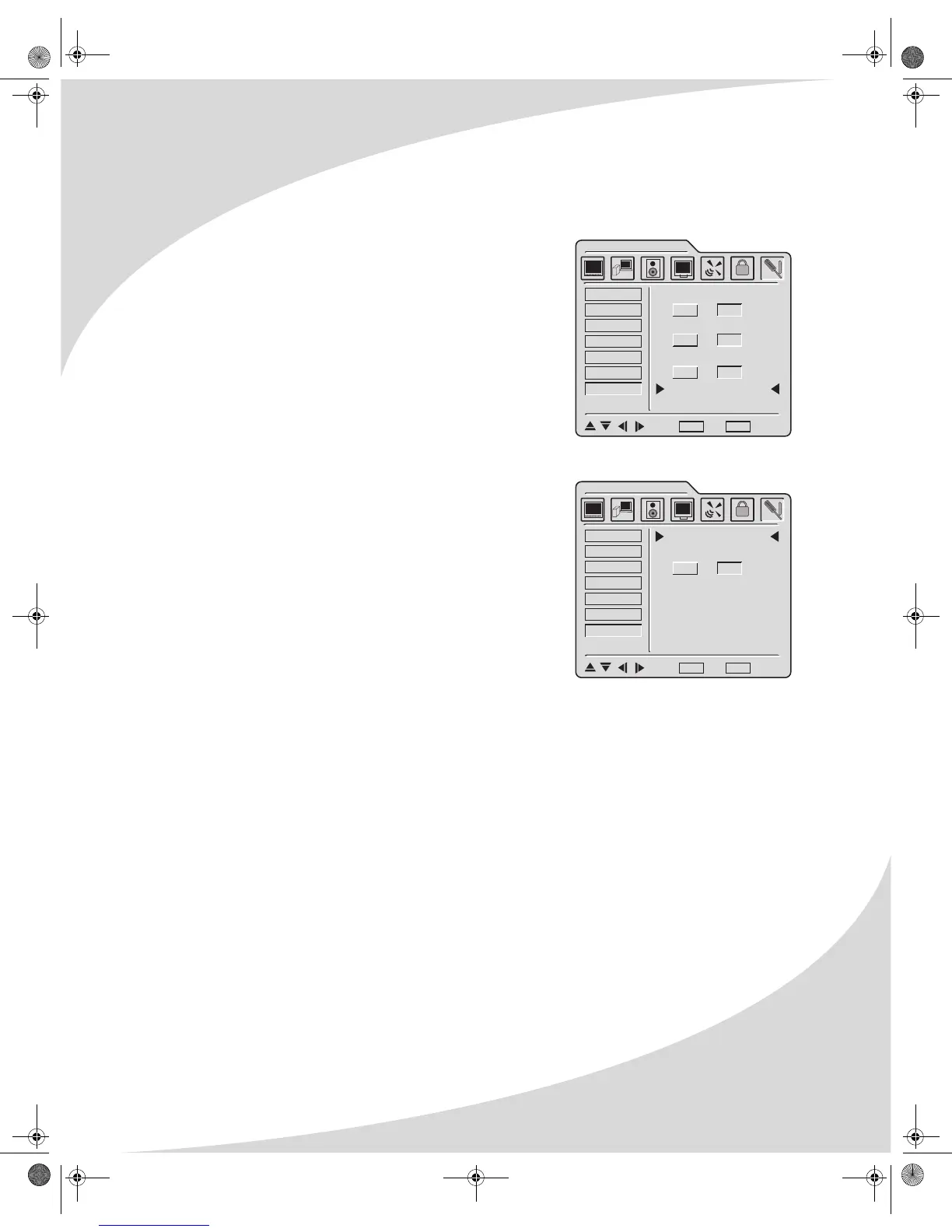
Deinterlace
A sub-menu that controls how the display deinterlaces
interlaced video before displaying it on the screen. The
following options may be set (note that there are two
pages to the sub-menu—select NEXT to advance to the
next page):
• DCDI—Processes the deinterlaced image to produce
smooth images without staircasing
• CCS—Removes “false color” artifacts caused by
improper signal separation in low-cost video devices
• Film Mode—Removes artifacts from 2:2 and 3:2
pulldown material
• Fleshtone—Improves skin tone in program
material
• Motion—Removes motion-related artifacts from
program material by comparing sections of the
image from field to field. The section size can be set
via this sub-menu. There are three options: small,
medium, and large.
DCDI
CCS
FILM MODE
NEXT
GENERAL SETTINGS
OSD Timeout
OSD Position
OSD Language
Sleep Timer
Display Info
All Reset
Deinterlace
ON OFF
ON OFF
ON OFF
: Select MENU : Exit ENTER : Enter
GENERAL SETTINGS
OSD Timeout
OSD Position
OSD Language
Sleep Timer
Display Info
All Reset
Deinterlace
PREV
FLESHTONE
MOTION
ENTER
ON OFF
: Select MENU : Exit ENTER : Enter
OMPLTV32C.book Page 23 Thursday, June 2, 2005 9:07 AM



 To Next Page