8
III.1.3. Harmonics of AC Current in Magnitude (mA or A)
a. Set the rotary switch at the position of “mA” or “A” depending on the range
of AC current. Then select the correct fundamental frequency by moving
the sliding switch at the side of the tester.
b. Press the trigger to open the jaw and fully enclose the conductor to be
measured.
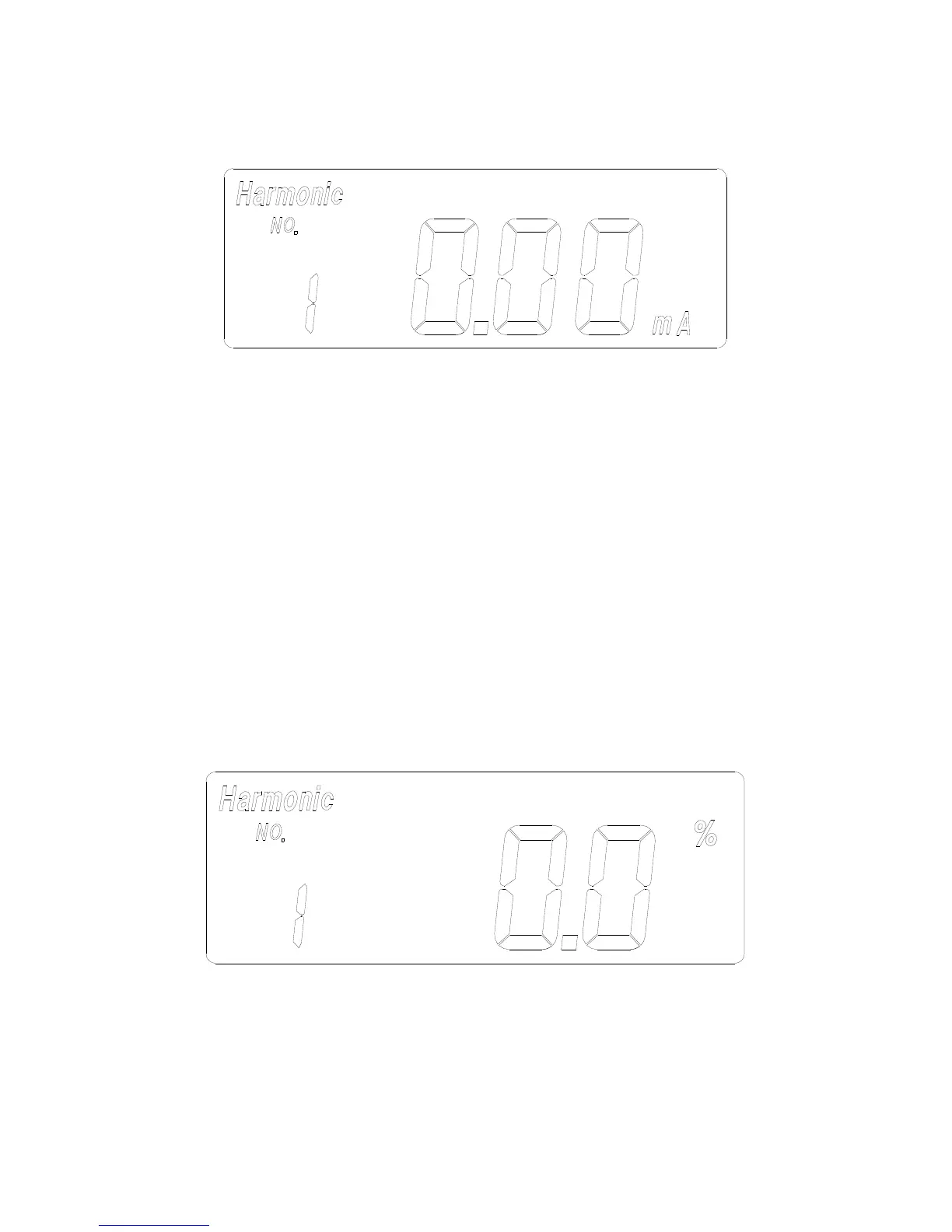
c. Press the FUNC button once. The symbols of “Harmonic” and “NO” will
be shown in LCD. The n-th order (1 to 99) will be shown in front of the
reading of the magnitude (mA or A) of the current.
d. Press the
▲
or
▼
button to increment or decrement the order of
harmonics in front of the reading. The number will roll over when the
maximum (99) or minimum (1) is reached.
III.1.4. Harmonics of AC Current in Percentage (%)
a. Set the rotary switch at the position of “mA” or “A” depending on the range
of AC current. Then select the correct fundamental frequency by moving
the sliding switch at the side of the tester.
b. Press the trigger to open the jaw and fully enclose the conductor to be


 To Next Page