11
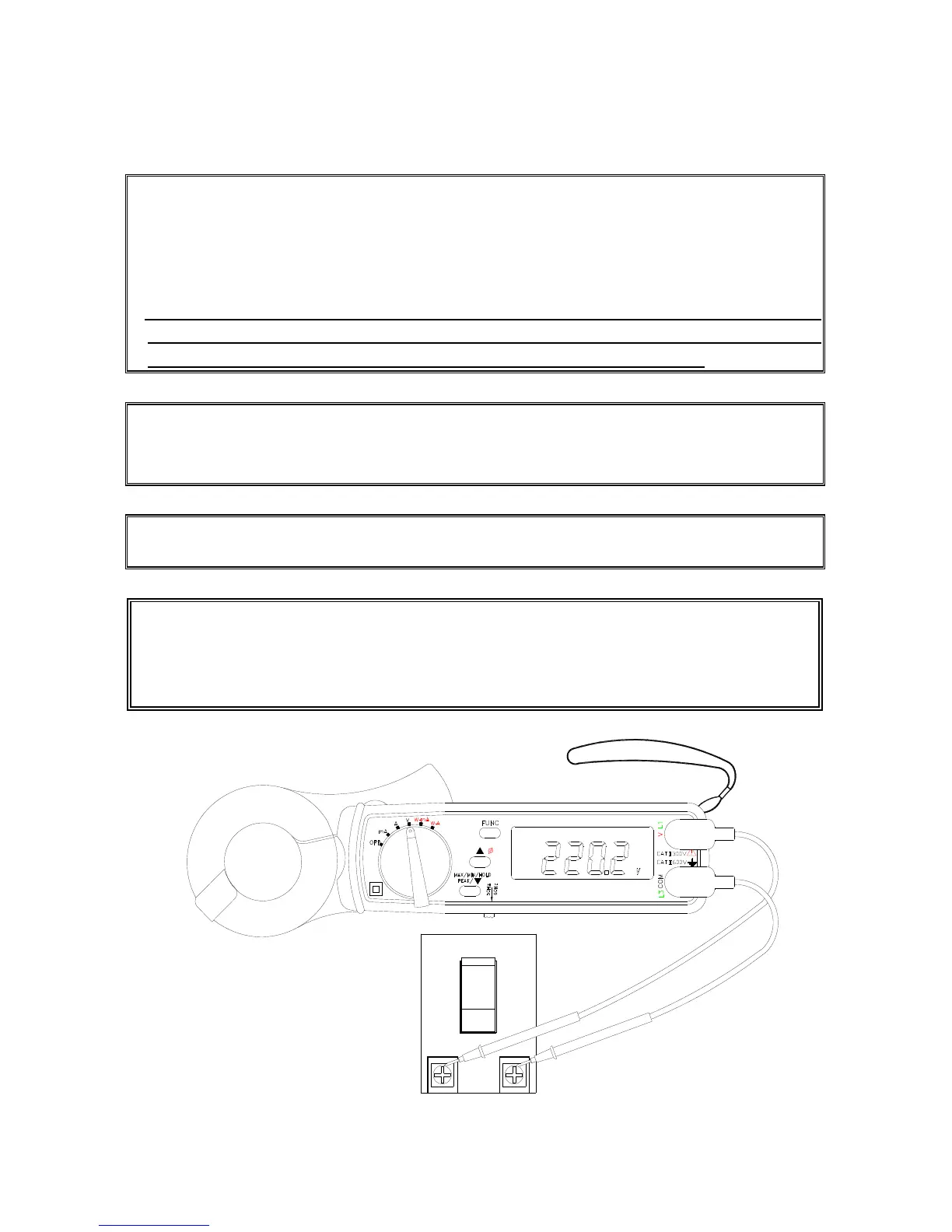
III.2 Measurement of AC Voltage
NOTE:
1. Select the correct fundamental frequency of voltage by moving the sliding switch
at the side of the tester.
2. If the peak value of the input AC voltage is greater than the maximum value of the
range, then symbol of OL will be displayed.
3. If users hold the
▲
button and turn the power on, the unit enters the AUTO Hz
mode. The unit will automatically detect the frequency between 45 to 65Hz.
Additional error occurs if the measured frequency is not 50 or 60 Hz.
NOTE: Whenever the rotary switch is set at a new position, the CT ratio and
fundamental frequency will be displayed first.
NOTE: If the CT ratio is not 1, a symbol of “CT” will be shown in the LCD display.
WARNING: Maximum input for ACV is 600. Do not attempt to take any
voltage measurement that exceeds the limits. Exceeding the limits could cause
electrical shock and damage to the clamp meter.
3
Ture RMS
AUTO-POWER-OFF


 To Next Page