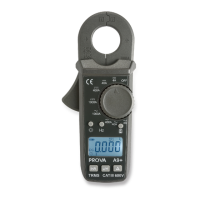
3
5.
▲
3Φ Button
This button is used to increment order of harmonics or CT ratio. When the rotary
switch is set at W-mA or W-A position, press this button to select measurement of
balanced 3Φ power instead of single-phase power.
This button is also used to select AUTO Hz. If users hold this button and turn the
power on, the unit will automatically detect the frequency of the signal within 40 to 65
Hz. If the frequency is outside 40 to 65 Hz, the unit will select 50 or 60 Hz based
upon the position of sliding switch 18.
6. FUNC Button
In the measurement of mA, A, or V, press this button to select function of harmonics,
THD-F, or CF. In the measurement of W-mA or W-A, press this button to select
function of VA, VAR, PF, phase angle, HP, or energy (KWH).
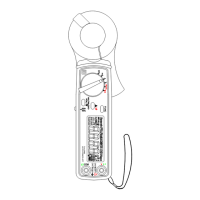
7. LCD
This is a 4+2+2 digit Liquid Crystal Display. Function symbols, units, sign, decimal
points, low battery symbols, max, min symbols, peak and harmonic symbols are
included.
8, 9, 10, 12
Those are symbols of selected functions such as, Harmonic, PEAK, MAX, MIN or
HOLD.
11. Primary Digits
These digits display the value of measurement, such as current, voltage, or power.
13. Symbols of Units
These are symbols of current, voltage, and power. There are two digits used to
display the fundamental frequency 50 or 60 Hz.
14. V Input Terminal
This terminal is used as input for voltage and power measurements.
15. COM Terminal
This terminal is used as common reference input.
16. Hand Strap
Put your hand through the hole of hand strap to avoid accidental drop of the clamp
meter.


 To Next Page