ORiNOCO
®
802.11n Access Points - Software Management Guide 19
• If the connection is slow or unable to connect, use the Internet Explorer Tools option to ensure that you are not using a
proxy server for the connection.
• If you are unable to log on to the configuration pages by using default user name and password, please check with the
administrator or follow Forced Reload procedures.
• If using Internet Explorer, and you enter wrong password consecutively for three times, the HTTP session will get
disconnected. If case of other browsers, the login screen will reset until you enter the correct password.
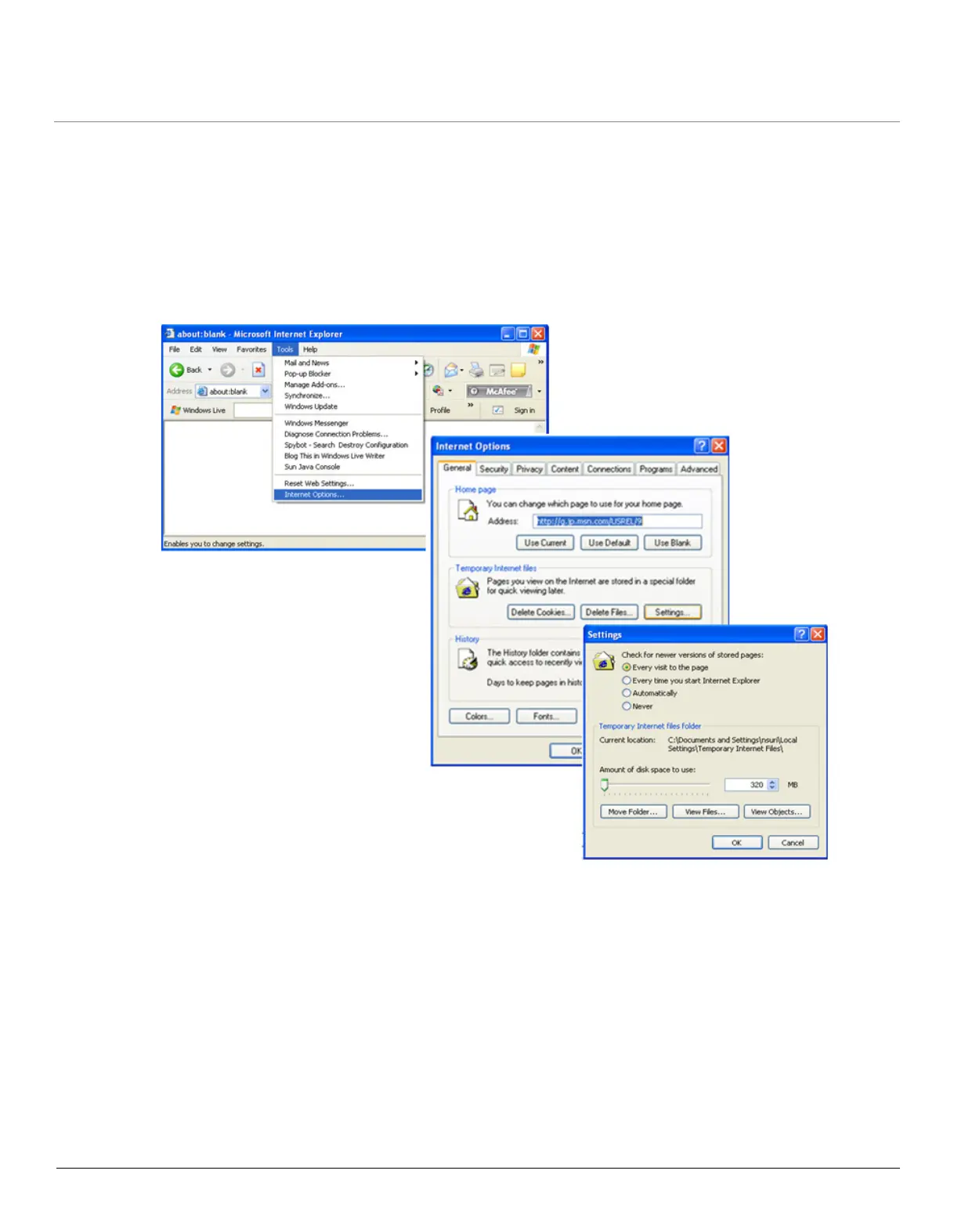
• In the Internet Explorer, to get best results, navigate to Tools > Internet Options > General. Click Settings in the
Browsing History and select “Every visit to the webpage”.
Figure 3-4 Internet Explorer Settings



 To Next Page
 Loading...








