ORiNOCO
®
802.11n Access Points - Software Management Guide 50
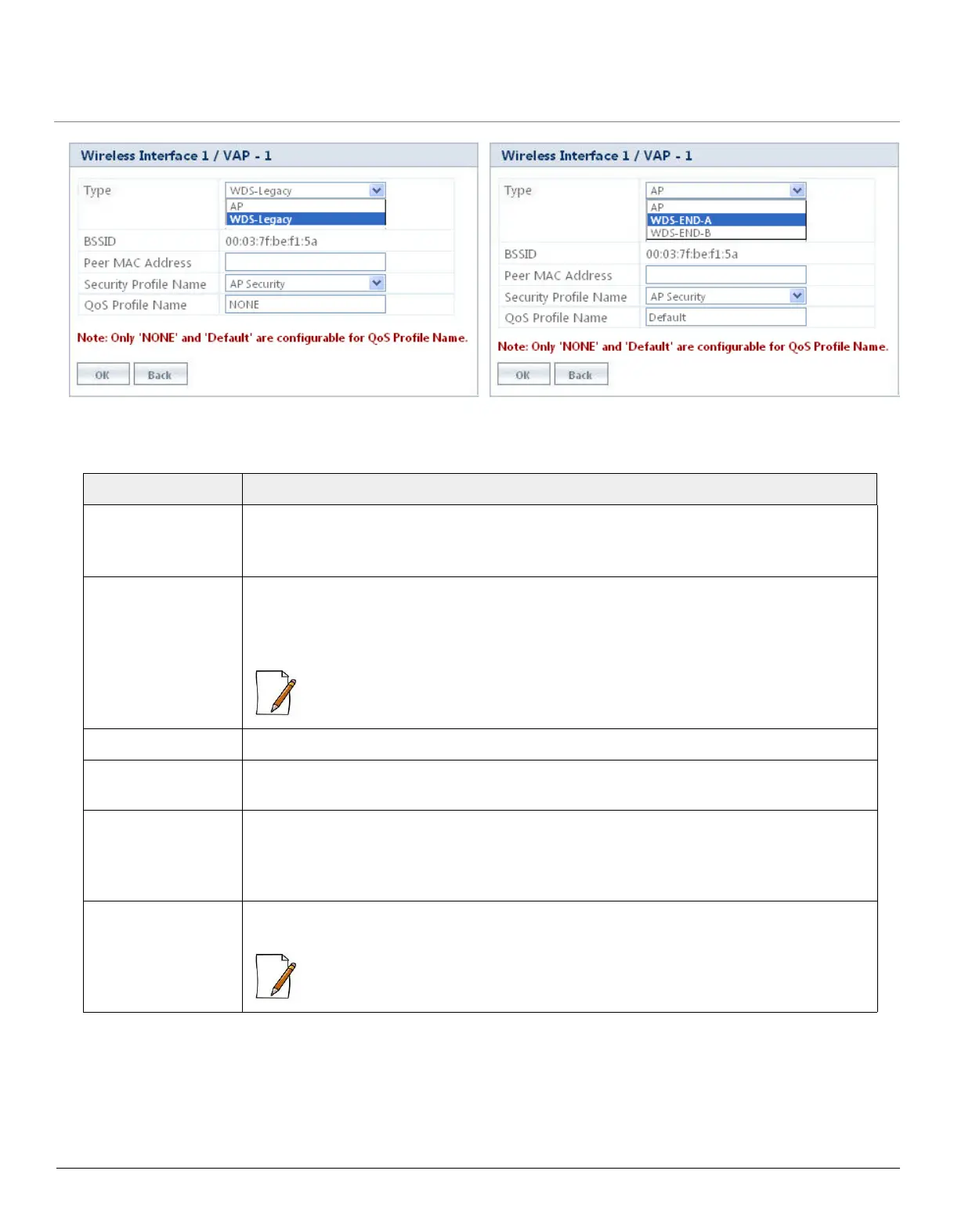
Tabulated below are the ‘VAP-WDS Mode’ parameters and the method to configure the configurable parameters:
Parameter Description
Status Specifies the status of the VAP.
By default, it is enabled. To disable a VAP, select Disable from the drop down menu.
Type Specifies the type of the VAP configured. (VAP Type may be in AP, WDS-Legacy or
WDS-END-A/END-B). See WDS - Legacy Mode and WDS-11n Mode
Select the VAP Type from the drop down menu and click OK.
: The AP device performs the standard AP functionality, if the VAP type is selected to
AP (See AP Mode).
BSSID Specifies a read-only parameter which displays the VAP’s MAC address.
Peer MAC Address Specifies the MAC address of the destination VAP. Enter a valid MAC address in the Peer
MAC Address box.
Security Profile
Name
Specifies the security profile name assigned to a wireless VAP.
By default, it is ‘AP Security’. To configure, select the Security Profile Name from the drop
down menu.
QoS Profile Name Specifies the QoS profile name assigned to a wireless VAP. By default, the QoS Profile
Name is set to ‘Default’. (See QoS Profile).
: By default, the QoS Profile Name taken for legacy mode is NONE. However, it can be
manually enabled to QoS Profile Name ‘Default’.
Figure 5-14 (a) VAP in WDS - Legacy Mode
Figure 5-14 4 (b) VAP in WDS - 11n Mode



 To Next Page
 Loading...








