14
3. A brief technological overview
Connecting the CNC control unit to the feeds of the tool axes of a machine tool allows for a
comprehensive extension of the range of options for the use of processing machines with con-
ventional (i.e. manual) controls. Our Type CU 4 CNC control unit handles the communication
between the computer running the control software and the drives of the CNC machine. It con-
verts the “path information” transferred to it by the computer into path commands for the drives
of the axes and into commands for switching the spindle drives of the processing machine.
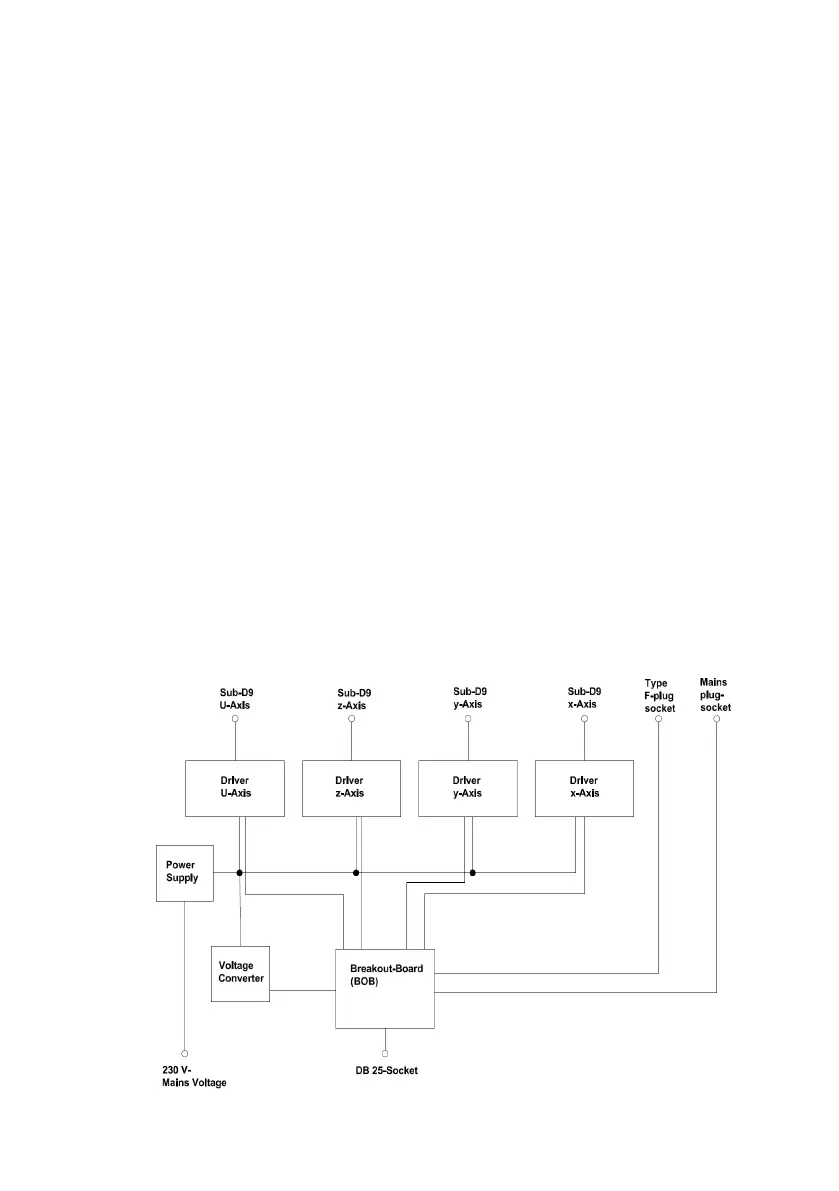
The CU 4 control unit is equipped with four driver stages enabling it to control a maximum of four
axes of a machine tool. The drives are connected to the driver stage via Sub-D9 sockets located
at the rear of the housing of the control unit, which are marked with the letters z, y and x. There
is an additional socket marked with the letter U for controlling instruments such as positioning
heads or dividing heads.
The CU4 is connected to the control computer by a DB25 socket via a breakout board. The
breakout board functions as an optocoupler for purposes of the electrical separation between
the control computer and the control unit, thereby protecting the control computer against poten-
tially hazardous voltage spikes emitted by the control unit.
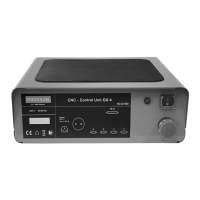
The rear side of the unit features two sockets, one for a mains plug and the other for a Type F
plug.
These can, for instance, be used for connecting the drive of the machine tool used, a cooling
pump or extraction device and, if required, for controlling them by means of the CNC software
running on the computer. For this purpose, the two sockets are connected in parallel.
4. Block circuit diagram of the CU 4 (Fig. 1)


 To Next Page