Marktronic User Guide 19-1
19. ADVANCED FEATURES
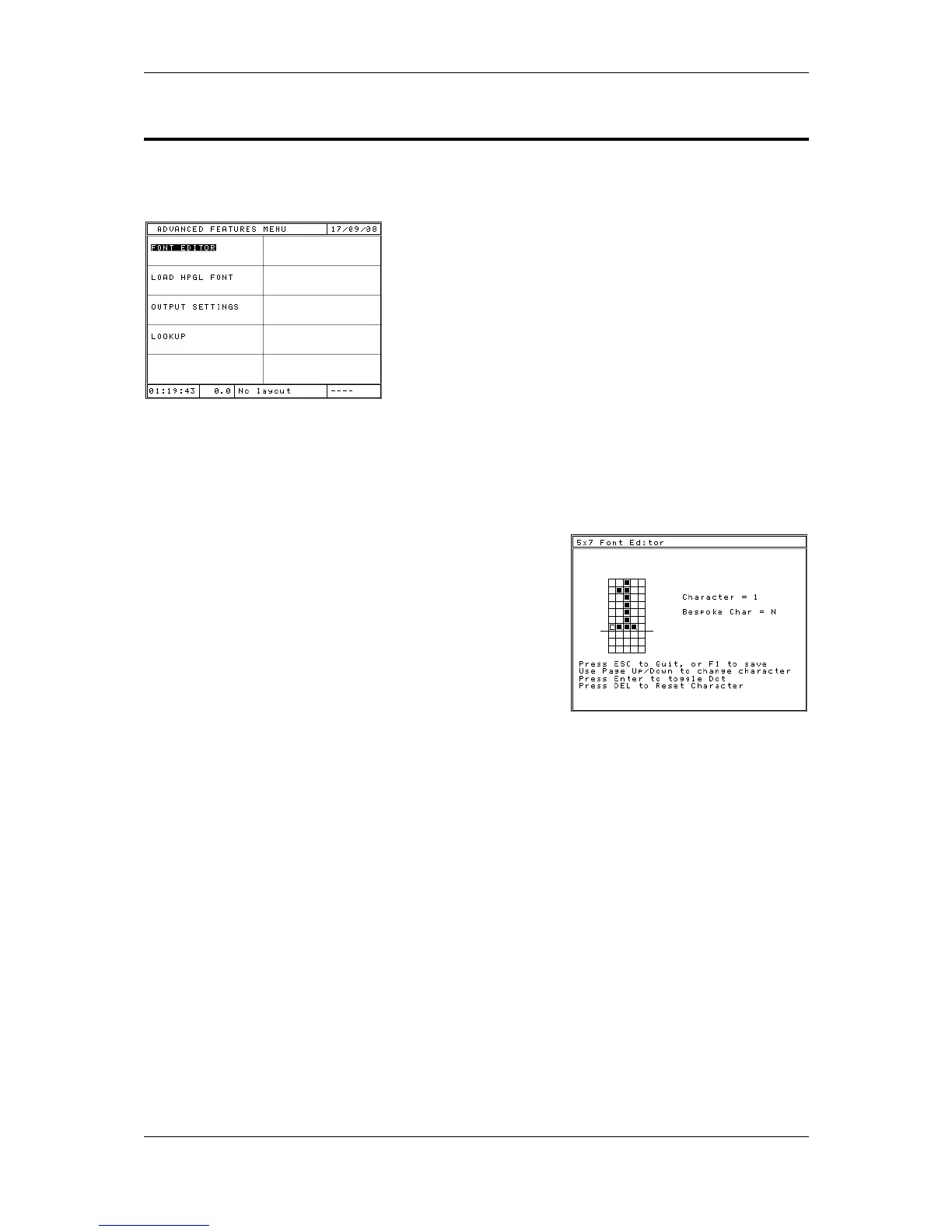
The ADVANCED FEATURES MENU is accessed from the CONFIGURATION
MENU.
Font Editor
The Font Editor allows the operator to change the appearance of marked
characters. To access the Font Editor, select FEATURES on the CONFIGURATION
MENU, then select FONT EDITOR. Select the font to edit (Either 5x7 or 7x9).
The system will show the current character that is
selected and ready to be edited. At the bottom of
the screen are instructions on how to edit and save
the character.
Move the cursor around using the cursor keys. To
swap a dot between marking and not marking, press
ENTER. When you are finished, press F1 to store
the modified character. Whenever that character is
marked using that font, the new marking definition
will be used.
Load HPGL Font
The system has a built in HPGL font. The system can be set up to override these
built in characters by downloading replacements to the controller. The LOAD HPGL
FONT function allows the operator to bulk download a set of HPGL files to use when
marking a line with its font type set to HPGL.
The procedure is detailed in the manual for the font downloading software.



 To Next Page