Psion Teklogix NETBOOK PRO User Manual 71
Chapter 5: Files, Folders, and Programs
Memory-Card Folders
5.11 Memory-Card Folders
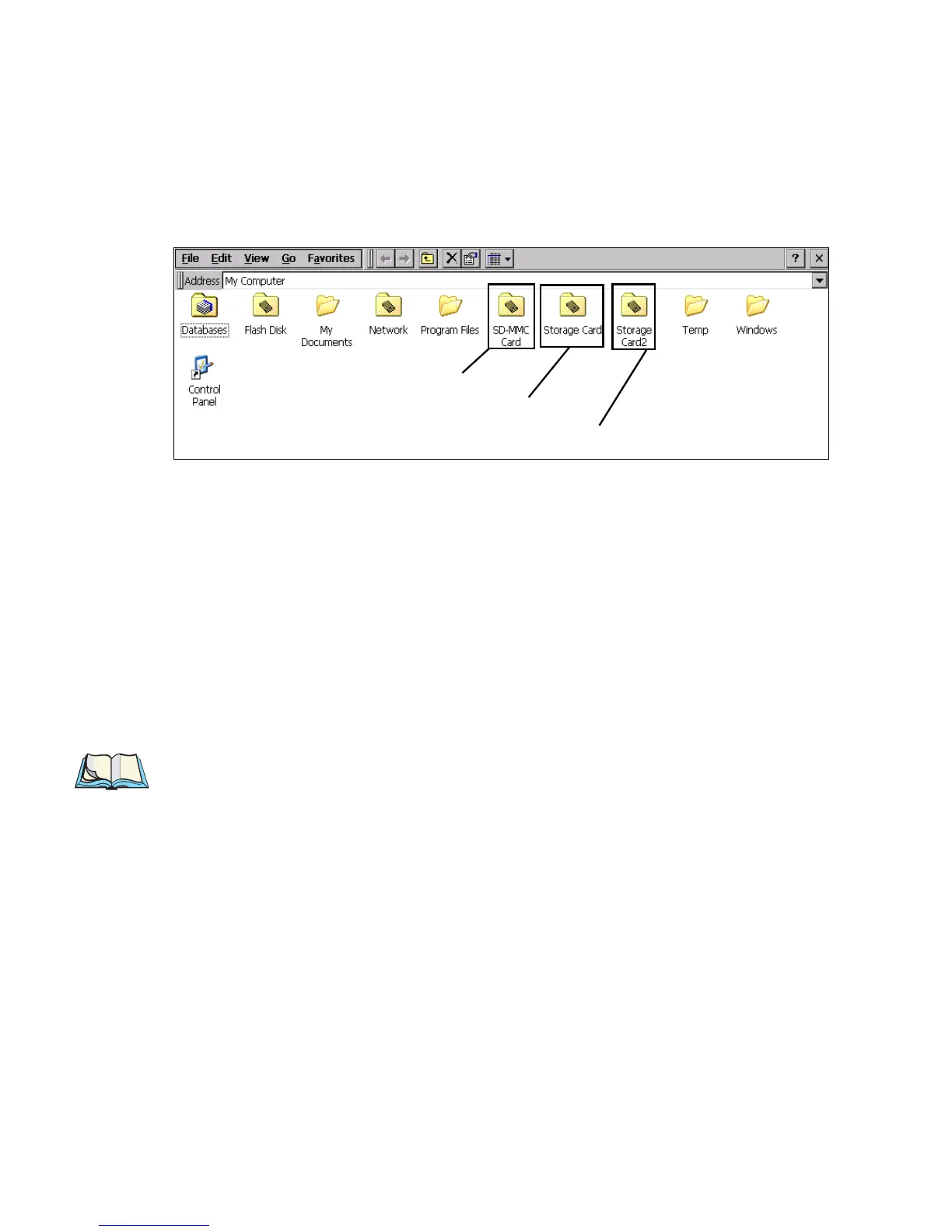
Each memory card appears as a separate folder in My Computer.
The MMC/SD card has folder name 'MMC Card'. In the Storage Manager, it has
device name 'SMC1:' (see section 5.13 on page 73 for details about the Storage
Manager).
CompactFlash and PCMCIA cards are treated identically by the system. Whichever
of them is inserted first is assigned folder name 'Storage Card' and device name
'DSK2:'. Whichever is inserted second is assigned folder name 'Storage Card2' and
device name 'DSK3:'. These folder and device names remain constant while the
cards are connected (if one is removed, the names for the other do not change), but if
both the CF and PCMCIA cards are removed and replaced in reverse order, the des-
ignations will be swapped.
Note: This assumes that there is only one partition on each card (see page 74).
Folder for MMC/SD Card
Folder for first CF/PCMCIA Card
Folder for second CF/PCMCIA Card



 To Next Page