Psion Teklogix NETBOOK PRO User Manual 75
Chapter 5: Files, Folders, and Programs
Partition Management
Note: The sector size of the card is given on the left-hand side of the Storage
Properties dialogue.
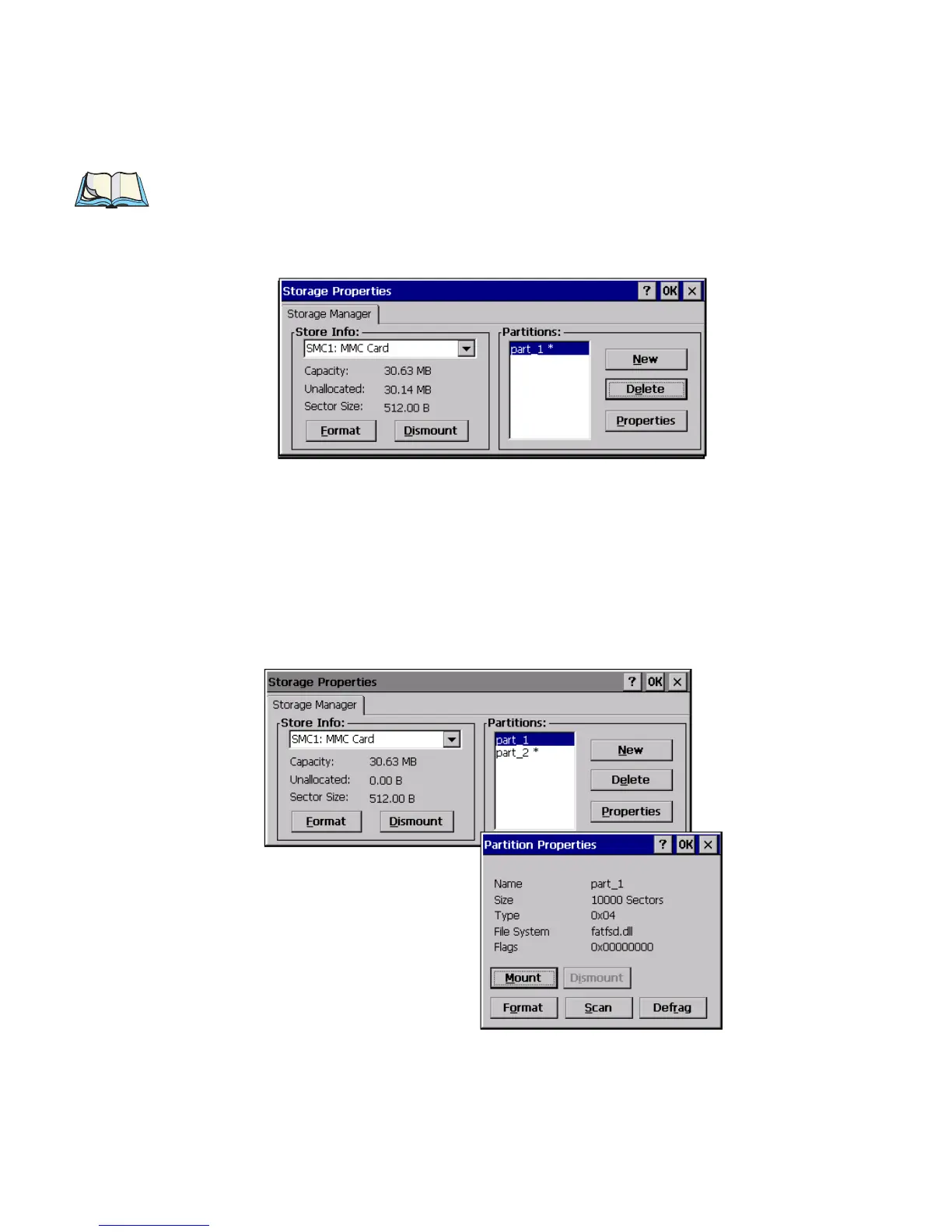
4. Press OK. The new partition appears in the Partitions list:
The new partition is automatically mounted. This is indicated by an asterisk (*) next
to its name in the partition list. Any unallocated space on the card is indicated at the
left, and additional partitions can be created in it.
5.13.3 Partition Management
Partitions can be individually dismounted, mounted, deleted, or formatted as well.
These and additional tasks are available from the Partition Properties dialogue:
To dismount a partition:
1. Select the desired partition.



 To Next Page