Go to Contents Precise Time and Frequency, Inc., 50L Audubon Road, Wakefield, MA 01880, USA ptf 3207A rev G
Tel: +1-781-245-9090 e-mail: info@ptfinc.com www.ptfinc.com pg. 28
Alternatively the ? provides a special function whereby entering : ?<ENTER> will bring up the command
help screen for the current module. This can be particularly useful if you are not sure of the module's
designation letter.
The special commands shown below the line in the table above are used primarily for initial
configuration and should not normally be changed during standard operation. To access these
additional commands type : SHOWPTF<ENTER> or A37[SPACE]1<ENTER>
In addition to the summary description shown in the table, each of the commands in the table has
additional individual help available. To display the additional help on a particular command for
example command type:
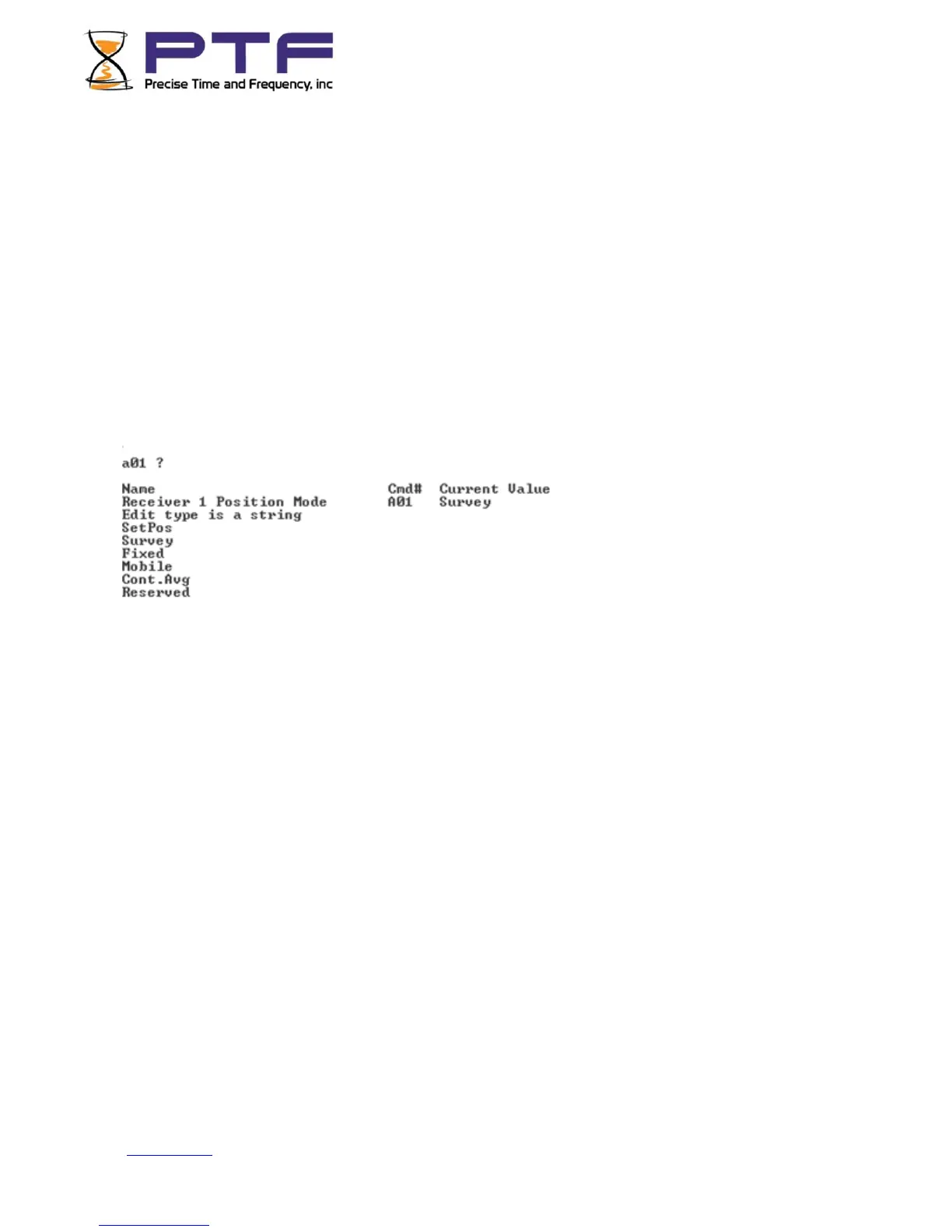
A01[SPACE]?<ENTER> or A01[SPACE]HELP<ENTER>
The additional help displays the current setting, the format of the required entry, and the allowable
range for integers, or available string options for string entries.
To enter a new value for a particular menu, e.g. for command A01 if the current value is set to survey
and you wish to change it to fixed type:
A01[SPACE]Fixed<ENTER>
If you try to enter a value that is already set the unit will return:
"Value already set"
TIP: To find a currently set value type command<ENTER> e.g. for command A01 type: A01<ENTER>
NOTE: Some of the menu options that are dependent upon other settings will not display unless
appropriate for the setting selected. e.g. the option to choose between constellations will not be
visible unless the system configuration has a receiver that is capable of receiving multiple
constellations.


 To Next Page