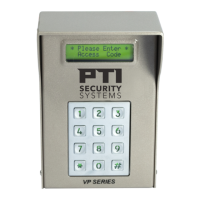
VP Keypad Access Device
37
rev. 7-2017 114A3868.E
5
Are any other devices set to the same address as the
VP?
In Falcon 2000 - look at Remote Online Status report
In Storlogic ver.4.1 - look at
AI device current status.
In Storlogic ver.5.0 - look at
Health Check
Check the addresses on all of the devices, or disconnect the
VP and run the report for your software version listed above.
If the system setup report shows the remote number (address)
assigned to the VP as being ON LINE with the VP disconnected,
then another device is sharing the same address.
Yes
– Change one of the
devices and retest
No
– Proceed to the step 6
6
Is the maximum number of remotes in the controller set
to a number greater than the address of the VP?
In Falcon 2000 - look at
Falcon Setup
In Storlogic ver.4.1 - look at
Falcon XT Setup.
In Storlogic ver.5.0 - look at
Falcon XT Setup
If the value is lower than the address of the VP, the controller will
not try to communicate with it.
Yes
– Change the
maximum number of
remotes and retest
No
– Contact Technical
Support if the VP is still
not working.


 To Next Page