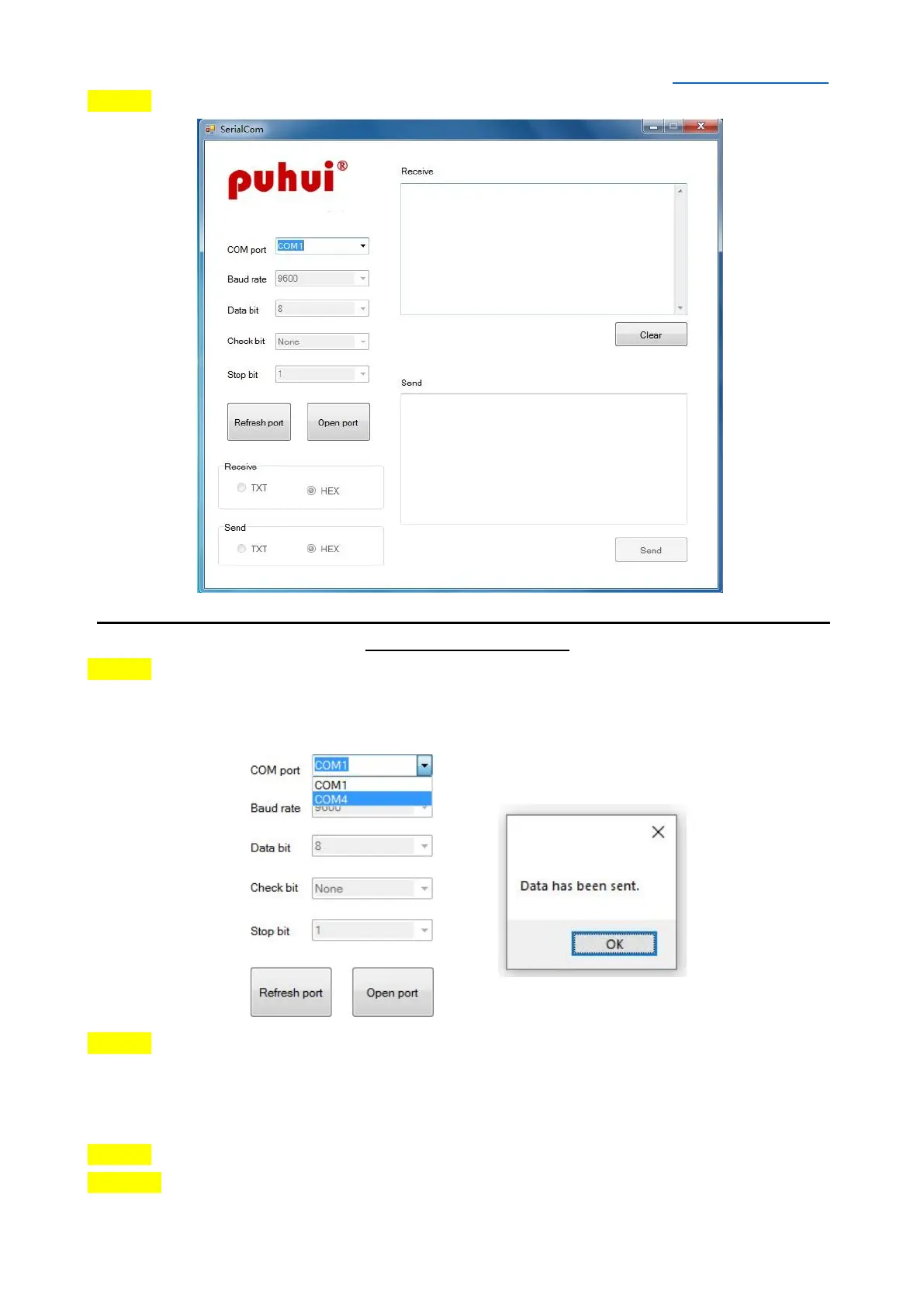
STEP 6 Open “SerialCom” software, it will show as below:
SPECIAL NOTE: Baud rate/ Data bit/ Check bit/ Stop bit/ Receive/ Send parameters
do not need to be set.
STEP 7 Select the corresponding serial pot connected to the machine in the “COM port”
drop-down list, then click the “Open port” Button. If there is any question about
corresponding serial port, go to the “Control Panel” to check.
STEP 8 Copy the data in the WAVE 7 or WAVE 8 table set in the "temperature data" Excel
form to the send area, then click the "Send" Button. When the data is sent successfully, a
pop-up window will display. At the same time, machine will have a corresponding sound
prompt.
STEP 9 Unplug the serial cable and restart the machine.
STEP 10 Restart the machine, enter the "Select Temp Curve" interface, press ▲/▼ Button
to select WAVE 7 or WAVE 8, it will show the new curve.


 To Next Page