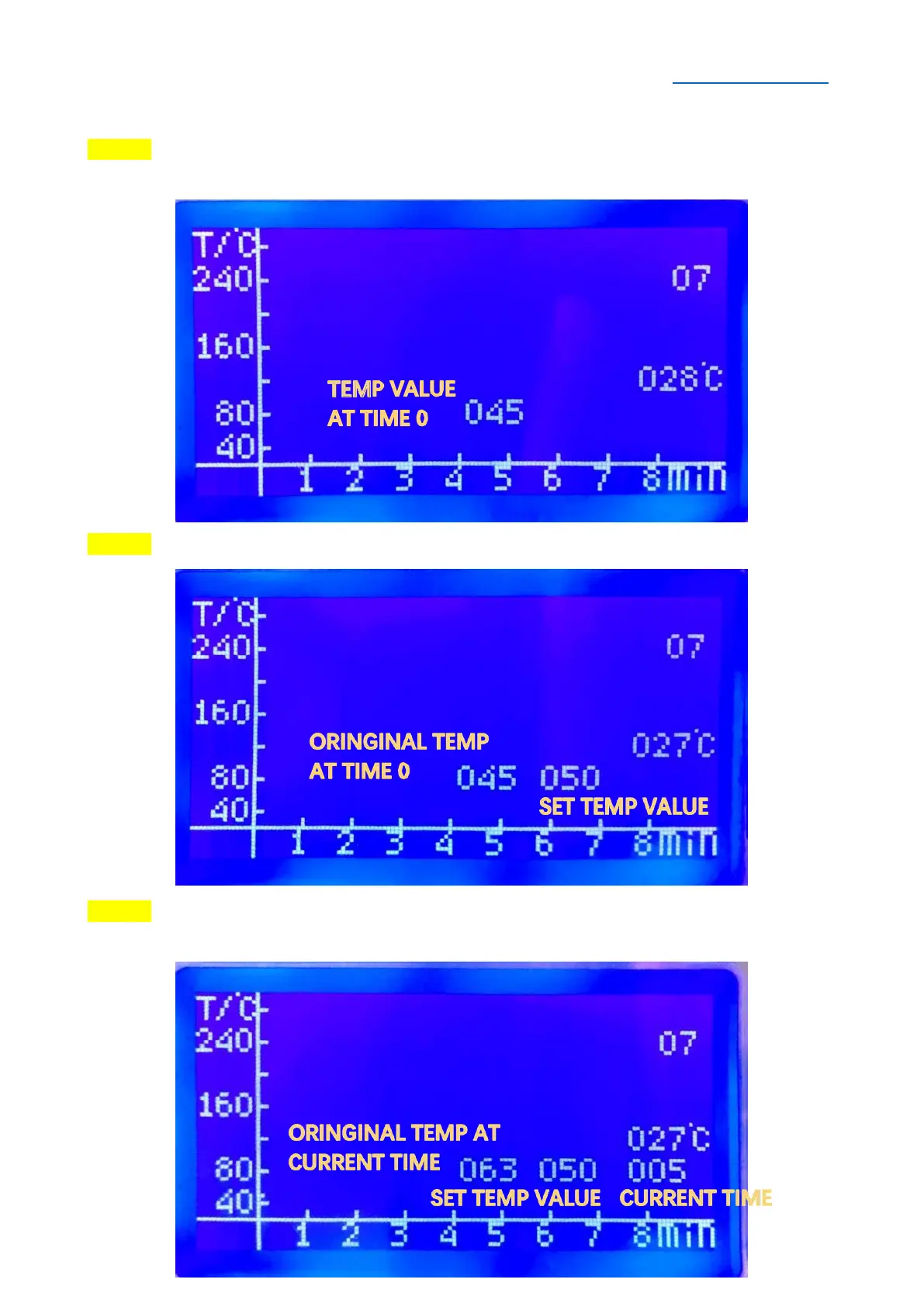
SELF-SET CURVE (INDEPENDENT OPERATION)
STEP 1 Select “Select Temp Curve”, then select WVAE 7 or WAVE 8. Press OK/RETURN
Button enter the following editing interface:
STEP 2 Press ▲/▼ Button to change the temperature value at current time.
STEP 3 Press OK/RETURN Button to set the temperature value, and then the system will
automatically jump to the next time point. Each time point interval is 5 second.


 To Next Page