MACHINE INTERFACE DESCRIPTION
STEP 1 Please put machine on the flat tabletop with good ventilation and no combustible
items nearby. Reserve space for drawer-pull & push. And leave at least 20mm space
around the machine, for heat dissipation. Also ensure smooth ventilation at the bottom.
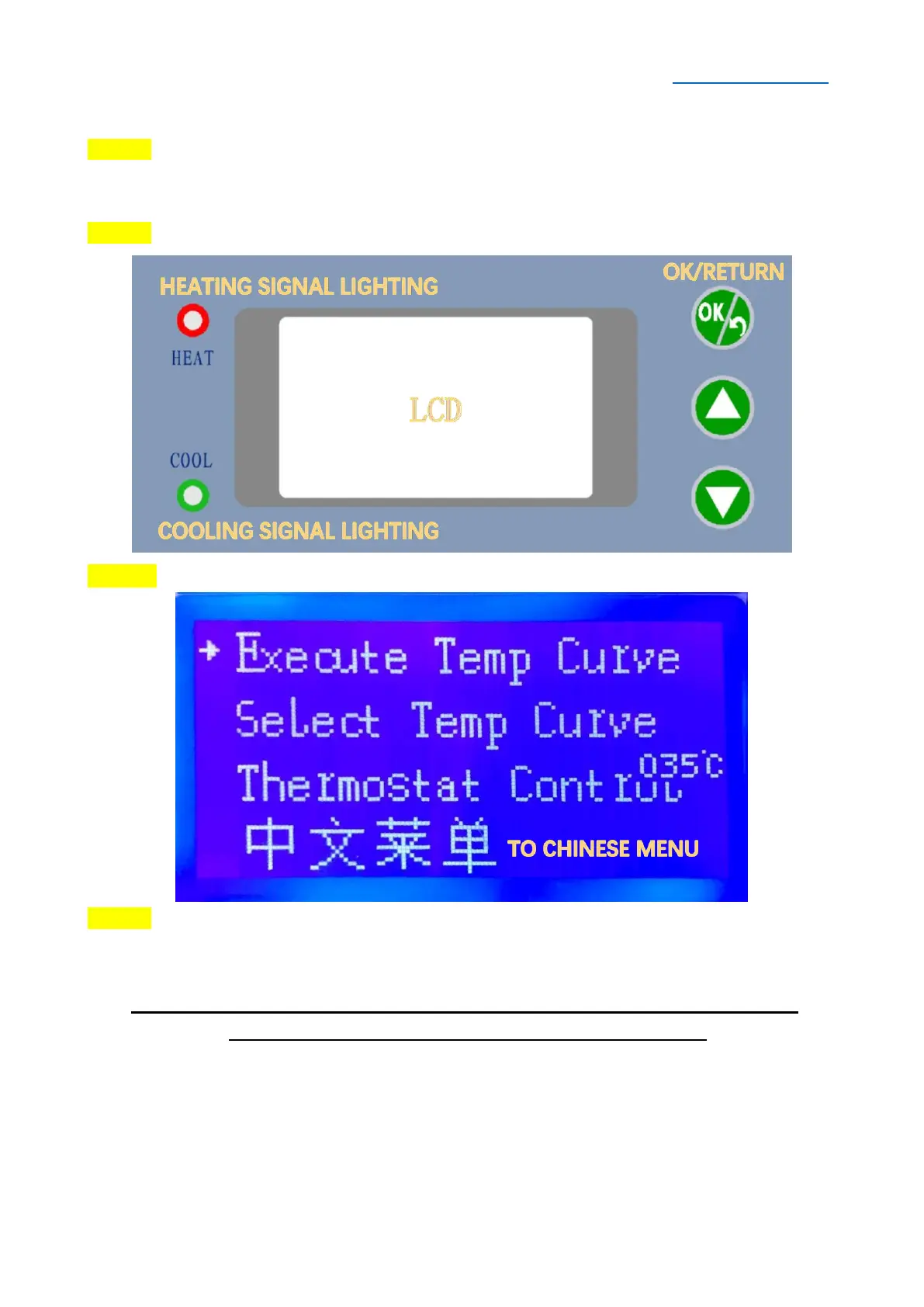
STEP 2 Operation interface description
STEP 3 Power on the machine, then LCD shows as below:
STEP 4 Press▲/▼Button to select functions, press OK/RETURN Button to execute
functions or back to the main menu.
SPECIAL NOTE: If the picture in this user manual does not match the
machine image, the machine image shall prevail.


 To Next Page