THERMOSTATIC CONTORL
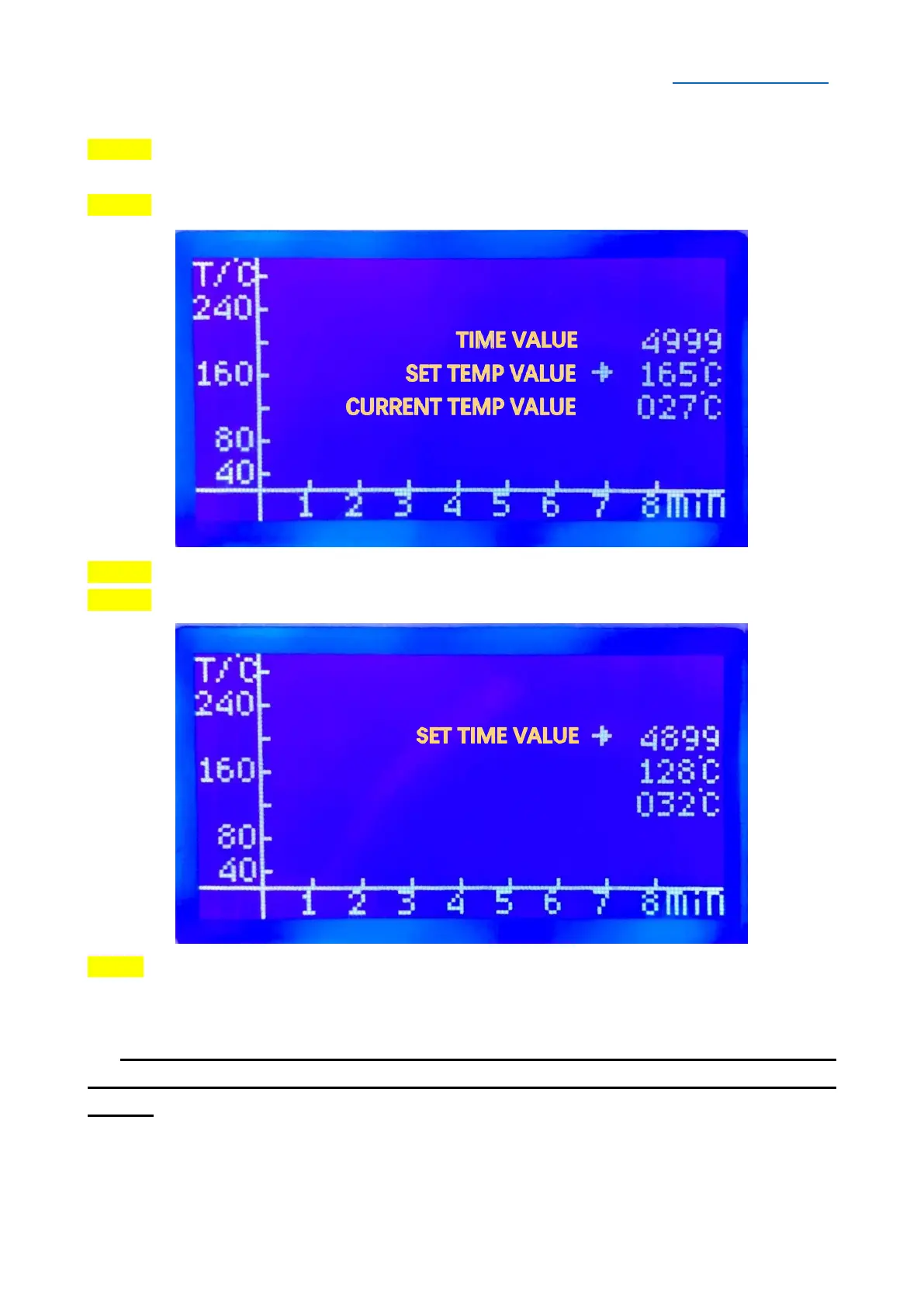
STEP 1 Select the “Thermostat Control”, press the OK/RETURN Button enter into the
operation interface.
STEP 2 Press ▲/▼ Button to set the temperature value (Temperature Range: 40~280°C)
STEP 3 After setting the temperature value, press OK/RETURN Button to adjust the time.
STEP 4 Press ▲/▼ Button to set the time value (Time Range: 300~9999s)
Step 5 After setting the time value, press OK/RETURN Button to execute the thermostatic
control function. When the work done, the machine will stop automatically (the machine
will beep when the process stops)
SPECIAL NOTE: When the machine is running the thermostatic control function,
it can be stop by pressing the OK/RETURN Button at any time and back to the main
menu.


 To Next Page