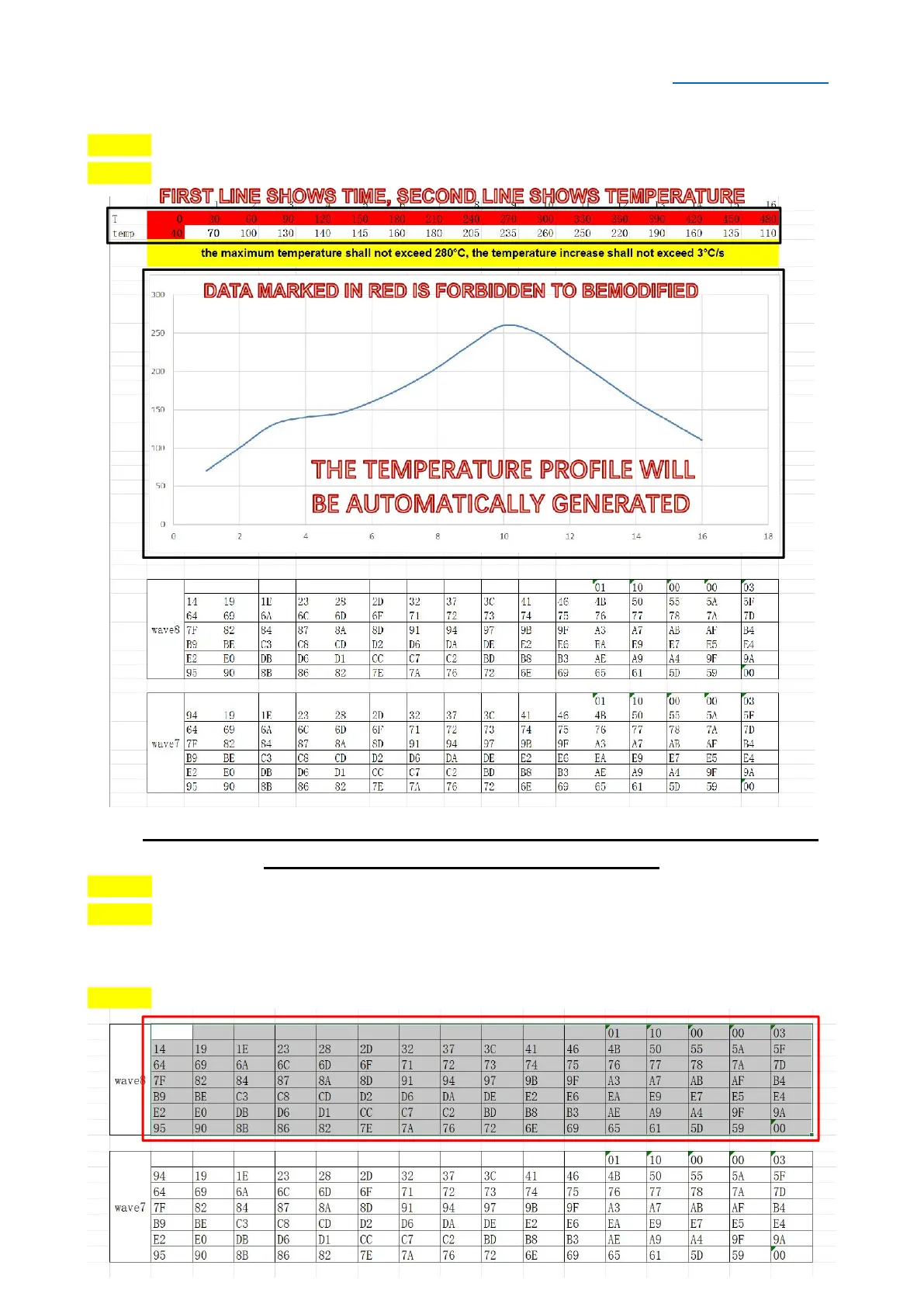
SELF-SET CURVE (PC CONNETING)
STEP 1 Connect the machine with the computer using a serial cable.
STEP 2 Open the Excel form “temperature data”.
SPECIAL NOTE: The maximum temperature shall not exceed 280°C, and the
temperature increase shall not exceed 3°C/s.
STEP 3 Double-click the unmarked temperature cell to modify the temperature value.
STEP 4 After modifying all temperature values, click on the blank space or press the
"Enter" key on the keyboard to refresh the data, and the newly generated temperature
curve will be observed. At the same time, the data in the two tables below will be updated.
STEP 5 Select and copy all data in the WAVE 7 or WAVE 8 table area.


 To Next Page