EasyManua.ls Logo

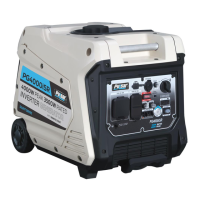
Pulsar PG4000iSR - User Manual

Pulsar PG4000iSR
28 pages
Print Icon
To Next Page IconTo Next Page
Loading...
Inverter Gasoline
support@pulsar-products.com
OPERATOR’S MANUAL
Model: PG4000iSR
Warning: The Engine Exhaust from this product contains chemicals known to
the State of California to cause cancer, birth defects or other reproductive harm.
TM

Questions and Answers

  • L
    Lauren MartinezAug 5, 2025
    Why Pulsar PG4000iSR engine lacks power?
    • M
      Michael GarciaAug 5, 2025
      If your Pulsar Portable Generator engine lacks power, consider these possibilities: * The generator might be overloaded. Please, see pg 17 “Don’t overload generator”. * The fuel filter could be clogged. Clean or replace it. * The air filter may be dirty. Replace it.
  • T
    Tracy ShermanAug 11, 2025
    Why Pulsar PG4000iSR Portable Generator engine will not start, shuts down during operation, or starts and runs rough?
    • W
      williammillerAug 11, 2025
      If your Pulsar Portable Generator engine won't start, shuts down, or runs rough, there are several potential causes: * The 3-in-1 switch may be set to “OFF.” Try turning the switch to “CHOKE” and then pull the recoil starter. * The air filter or fuel filter could be dirty or clogged. Clean or replace them. * You might be out of fuel or using stale fuel; replace the fuel. * The spark plug wire may be disconnected; reconnect it. * The spark plug could be bad; clean or replace it. * There might be water in the fuel; drain the tank and replace the fuel. * The engine might be overchoking; turn off the choke. * The oil level could be low; add oil. * The engine may be flooded; wait 5 minutes and try again.
  • J
    James MillerAug 17, 2025
    What to do if Pulsar PG4000iSR Portable Generator is running, but does not supply power?
    • M
      Matthew WangAug 17, 2025
      If your Pulsar Portable Generator is running but not supplying power, try the following: 1. Ensure the DC Circuit Breaker is turned “ON”. 2. If the green AC Pilot Light Indicator is off, stop and restart the engine. 3. Check for and repair any poor connections or defective cord sets. 4. Make sure the connected device is working properly by testing with another device.
  • C
    Christopher GuerreroAug 23, 2025
    What to do if Pulsar PG4000iSR runs good without load but bogs down when loads are connected?
    • S
      Scott WhiteAug 25, 2025
      If your Pulsar Portable Generator runs well without a load but bogs down when loads are connected, here's what might be happening: * A connected device may have a short circuit. Disconnect the device. * The generator could be overloaded. Please, see pg 17 “Don’t overload generator”.
  • D
    deannaestradaAug 30, 2025
    How to fix Pulsar PG4000iSR when engine “hunts” or falters?
    • K
      Katie GreenAug 30, 2025
      If your Pulsar Portable Generator engine “hunts” or falters, it could be due to the choke being removed too soon. Move to choke until engine runs evenly.

Summary

Introduction and Contact Information

Product Specifications Overview

Detailed technical specifications including AC/DC output, engine type, and capacities.

Contact Information

Provides telephone, email, and mailing address for customer support and inquiries.

Safety Rules and Precautions

Safety Symbols Explained

Defines standard warning and caution symbols used throughout the manual to indicate potential hazards.

General Safety Instructions

Emphasizes reading the manual, using common sense, and understanding all warnings for safe operation.

Electrical and Operational Safety

Covers wattage limits, proper start/stop procedures, and using safe electrical connections.

Physical and Fire Safety

Warns about moving parts, flammable materials, hot surfaces, and recoil hazards.

High Voltage and Grounding Precautions

Details risks of high voltage and the necessity of proper grounding to prevent electrocution.

Unit Modification and Component Safety

Advises against modifying the unit, using correct parts, and operating it as intended.

Health Hazard Warning (Prop 65)

Alerts users to chemicals in engine exhaust known to cause cancer and birth defects.

Generator Features and Controls

Control Panel Component Identification

Identifies numbered external parts of the generator, including handles, wheels, and caps.

Control Panel Function Labels

Identifies and labels lettered functions and outlets on the generator's control panel.

Start Switch and USB Outlet

Explains the ON/OFF start switch operation and the function of the 5V DC USB charging port.

Indicator Lights and Overload Correction

Describes the oil warning and overload indicator lights and provides steps to resolve overload conditions.

AC Pilot Light and DC Circuit Breaker

Explains the AC pilot light and the function/reset of the DC circuit breaker.

Engine Economy Mode

Details the operation of the economy switch for fuel efficiency and noise reduction.

Parallel Operation Outlets

Describes the parallel outlets for connecting two generators and the requirements.

Fuel Cap and Ground Terminal

Explains how to remove the fuel cap and the importance and connection of the ground terminal.

Assembly and Setup Procedures

Connecting to Electrical Systems

Provides instructions and safety warnings for connecting the generator to a building's electrical system.

Adding Fuel Safely

Guides on safely adding gasoline to the fuel tank, including fill level and ventilation.

Battery Connection and Charging

Details how to connect the battery for electric start and notes the battery charging feature.

Engine Oil Level Check and Fill

Instructs on checking and adding the correct type and amount of engine oil before operation.

Generator Operation Guide

Grounding and Atmospheric Conditions

Reaffirms grounding importance and explains how atmospheric conditions affect output.

Engine Starting Procedures

Outlines steps for both manual recoil and electric push-button starting.

Engine Stopping Procedure

Details the correct sequence for shutting down the engine and disconnecting loads.

Attaching Electronic Devices

Guides on safely connecting and turning on electronic devices to the generator.

Charging a 12 Volt Battery

Provides a step-by-step guide for using the generator to charge a 12V battery.

Parallel Generator Operation

Explains how to connect two generators using a parallel kit for increased power output.

Preventing Generator Overload

Advises on calculating total wattage and surge watts to avoid overloading the generator.

Wattage Reference Guide

Lists approximate wattage requirements for various common appliances and tools.

Maintenance Schedule and Procedures

Pre-Operation and Post-Use Checks

Lists essential checks before starting and simple tasks after each use.

Periodic Maintenance Tasks

Outlines maintenance intervals and tasks like oil changes, filter cleaning, and spark plug service.

Spark Plug Service and Oil Recommendations

Details how to check, gap, and replace the spark plug, and provides oil viscosity guidelines.

Engine Oil Changing Procedure

Step-by-step instructions for draining and refilling the engine oil.

Air Filter Cleaning and Muffler Inspection

Guides on cleaning the air filter and inspecting/cleaning the muffler and spark arrester.

Fuel Filter and Storage Preparation

Explains how to clean fuel filters and prepare the generator for storage.

Generator Storage and Transportation

Provides guidelines for safely storing and transporting the generator, including fuel management.

Engine Long-Term Storage Preparation

Details specific steps for preparing the engine for extended storage to prevent corrosion.

Fuel Draining Procedure

Outlines the process for completely draining the fuel from the tank and carburetor.

Troubleshooting Common Issues

No Power Supply Issues

Lists causes and solutions for the generator running but not supplying power.

Performance Issues with Load

Addresses problems like bogging down when loads are connected and suggests solutions.

Starting and Running Problems

Covers issues with the engine not starting, shutting down, or running rough, with remedies.

Engine Power and Stability Issues

Helps diagnose and resolve problems like lack of engine power or engine hunting/faltering.

Technical Specifications and Diagrams

Generator and Engine Specifications

Provides detailed specifications for the generator's electrical output, engine, and fuel system.

Generator Set Specifications

Lists overall generator set specifications, including net weight.

Wiring Diagram

Generator Electrical Connections

Illustrates the internal electrical connections and component wiring of the generator.

Warranty Information and Policy

Limited 2-Year Warranty Terms

Details the duration, coverage, and conditions of the limited two-year warranty.

Consumer Responsibilities and Claims

Outlines the owner's responsibilities for maintenance and obtaining warranty service.

Warranty Exclusions and Validity

Lists items and conditions not covered by the warranty and where it is valid.

Obtaining Warranty Service

Explains the process for acquiring warranty service and related procedures.

Pulsar PG4000iSR Specifications

General IconGeneral
Starting Wattage4000W
Running Wattage3500W
Fuel TypeGasoline
Engine Type4-stroke OHV
Displacement224cc
Fuel Tank Capacity3.4 gallons
Run Time at 50% Load15 hours
Weight92 lbs
InverterYes
Parallel CapabilityYes
AC Output120V
DC Output12V
TypeInverter Generator
Noise Level63 dB
Start TypeRecoil
Outlets2 x 120V 20A, 1 x 120V 30A, 1 x 12V DC

Related product manuals