LCD Modes
The LCD has two modes:
•
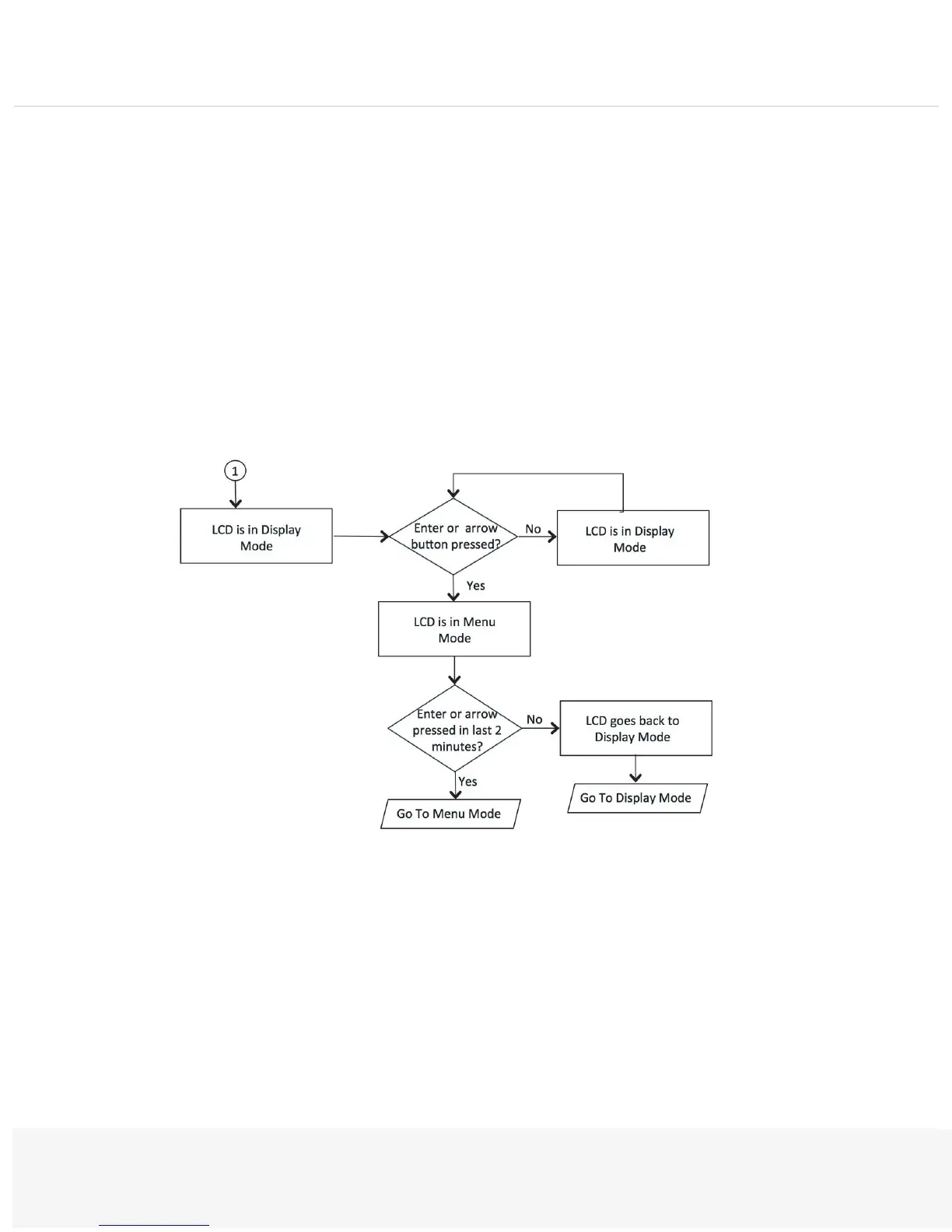
Display mode—The default. The LCD goes into Display mode after boot-up is complete.
•
Menu mode—It is activated when the user presses either the Enter button or any of the arrow
buttons. A single press of those buttons will change to Menu mode and load the default menu selection
(see Menu mode designs).
If the user presses the Cancel button, the LCD immediately changes back to Display mode and shows the
appropriate state. If the LCD is already in Display mode and the user presses Cancel, then nothing happens. The
LCD remains in Display mode. If the LCD is in Menu mode and the user does not press any button for more
than two minutes, then the LCD changes back to Display mode.


 To Next Page