Installation Procedure
Take the following steps to rack mount the PSA7000.
Step 1 - Identify the Parts
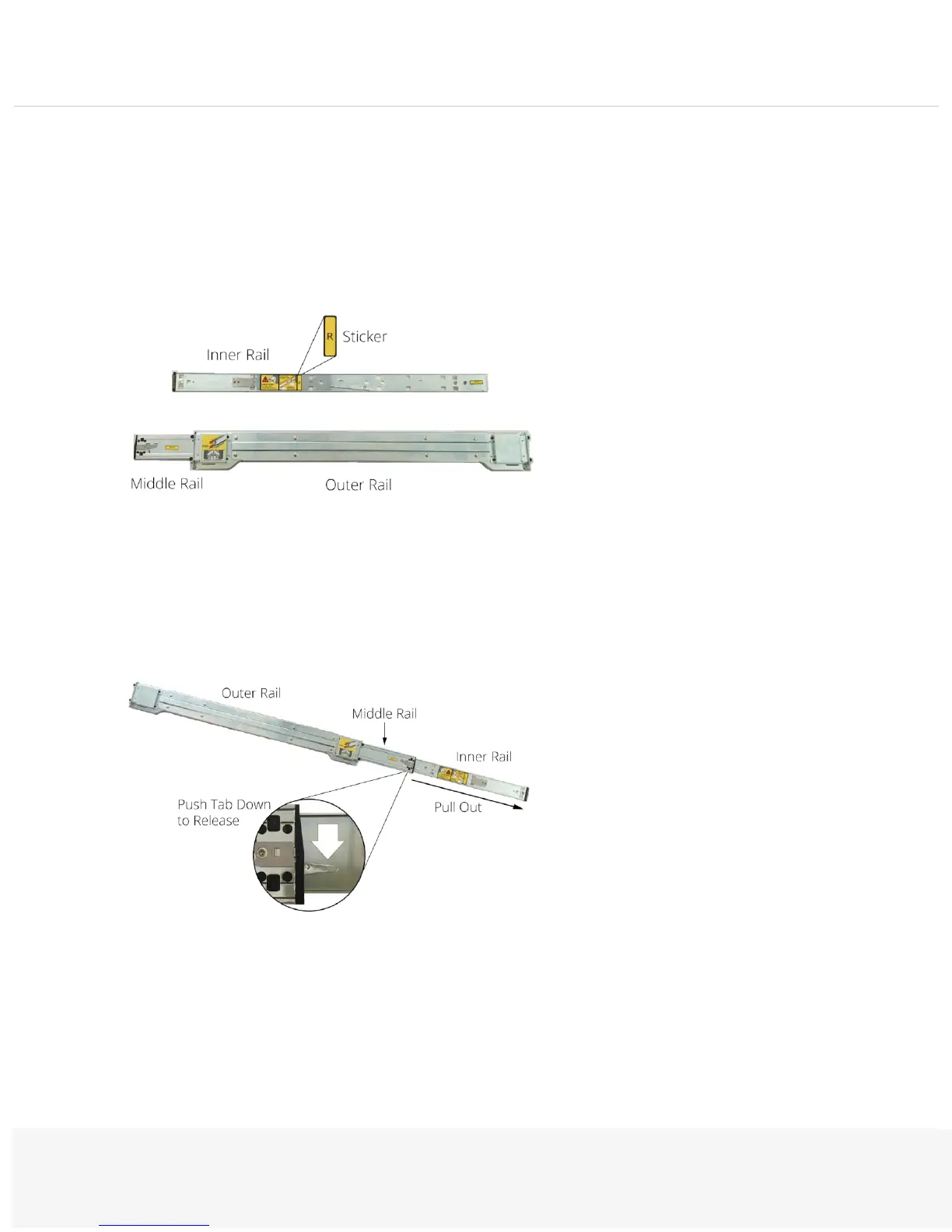
There is a left and right rail assembly for the PSA7000, as marked by the (L) and (R) stickers on the inner rails:
Each assembly has 3 parts: inner rail, middle rail, and outer rail.
Step 2 - Separate the Rails
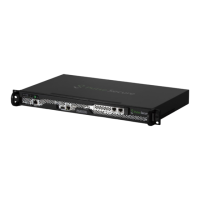
Pull the inner rails out of the middle rails:
To release an inner rail, press the locking tab down.


 To Next Page