Replacing Power Supplies
The PSA7000 chassis has a 700 Watt power supply. This power supply is auto-switching capable. This enables it to
automatically sense and operate at a 100v to 240v input voltage. An amber light will be illuminated on the power
supply when the power is off. An illuminated green light indicates that the power supply is operating.
The PSA7000 chassis includes a redundant power supply. Power supplies can be replaced without powering
down the system. Replacement units can be ordered directly from Pulse Secure.
The PSA7000 chassis includes a redundant power supply. It is not necessary to power down the server to
replace a power supply. PWR1 and PWR2 are labeled in the graphic below:
Replacing the Power Supply
1.
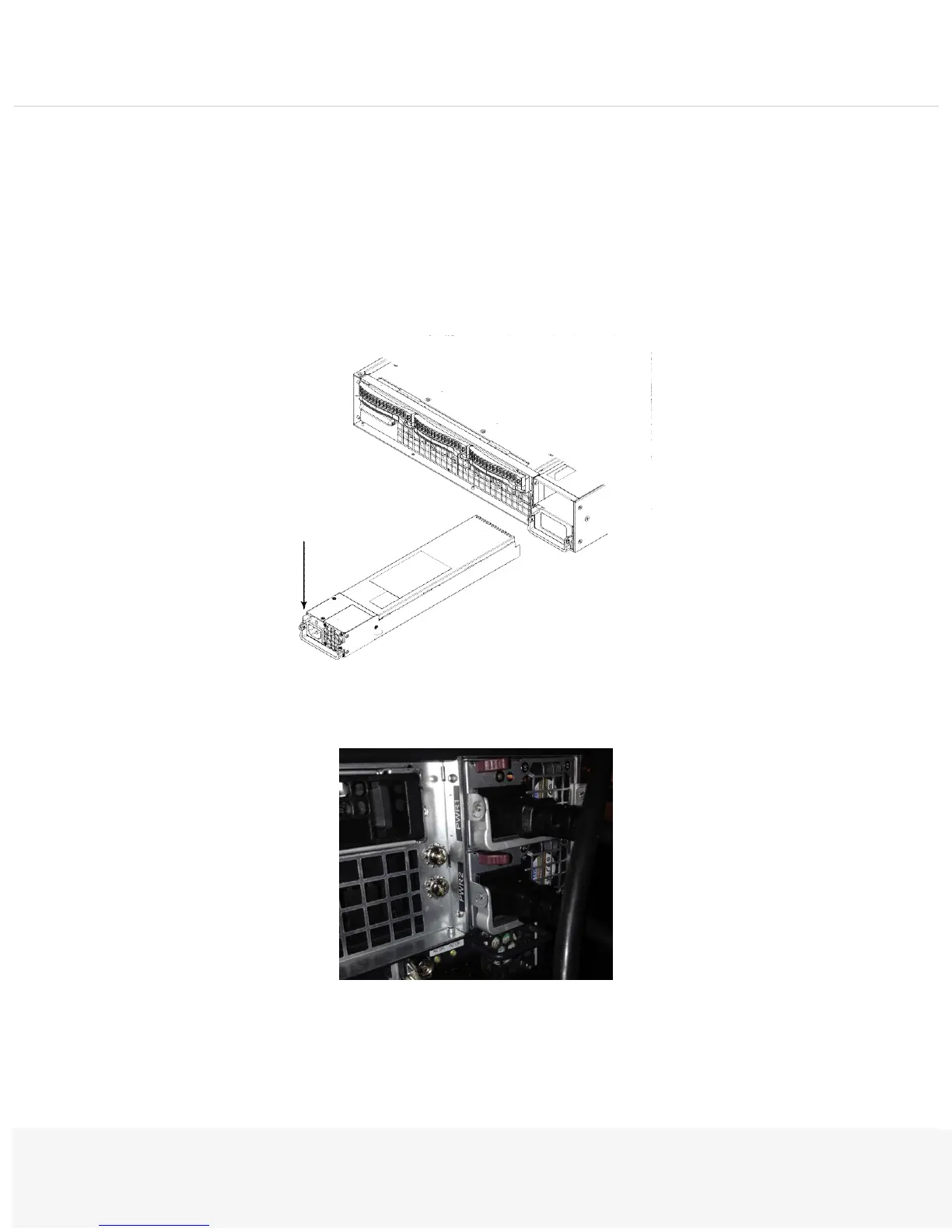
Push the Release tab (on the back of the power supply) as illustrated.
2.
Pull the power supply out using the handle provided.


 To Next Page