Console and Initial Configuration
Connect Console and Network
1.
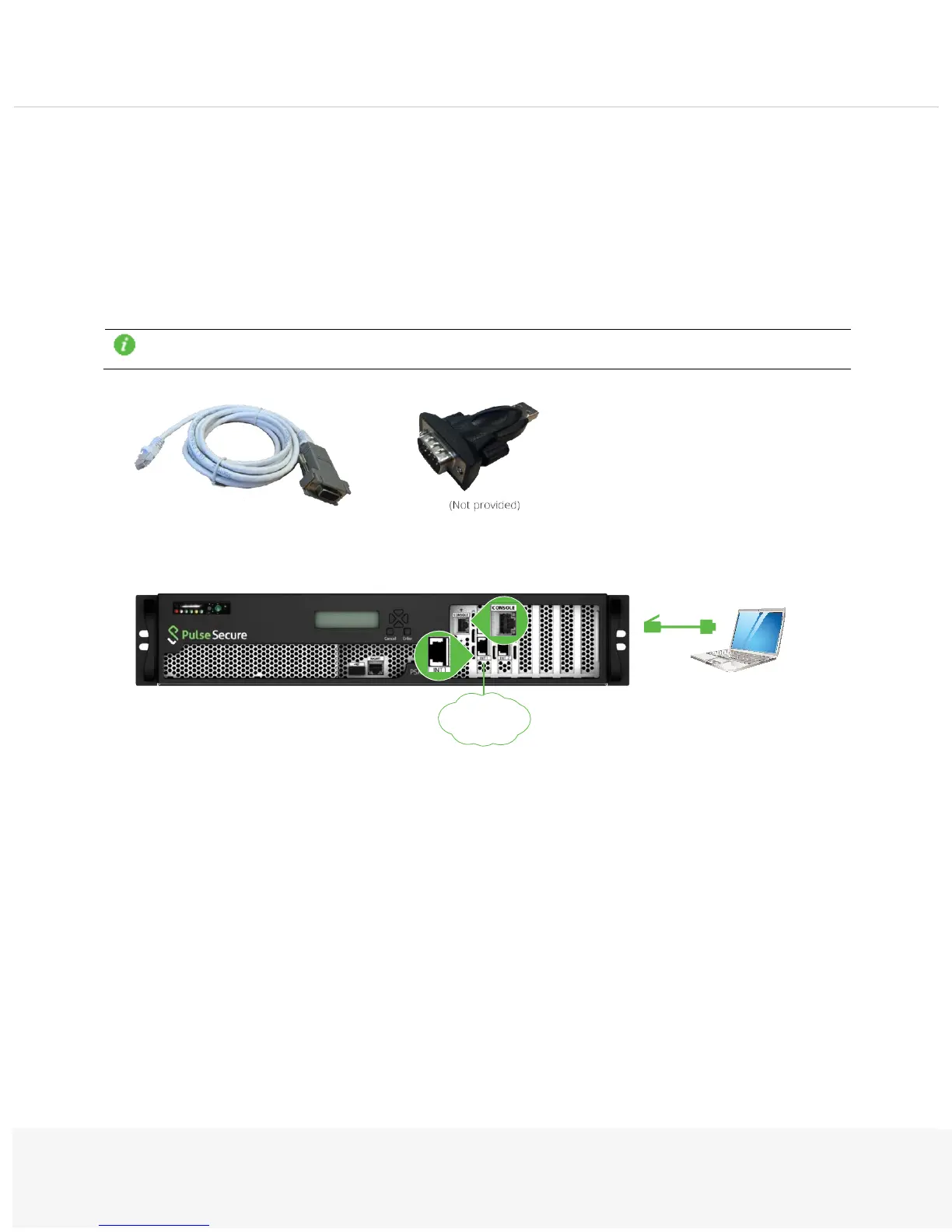
Do not power on the system yet. First, get the RJ45 to DB9 serial console cable.
2.
Connect the RJ45 end of the cable to the appliance port labeled CONSOLE and the DB9 end to a laptop.
Additionally, connect a network cable from the INT port on the appliance to a switch port:
3.
On the laptop, configure a terminal emulation utility, such as HyperTerminal or PuTTY, to use these set-
tings: 9600 speed, 8 data bits, 1 stop bit, no flow control.
To find your COM port in Windows, go to Start > Search > Device Manger > Ports (COM & LPT)
> USB Serial Port (COM#).


 To Next Page