Step 3 - Attach the Inner Rails
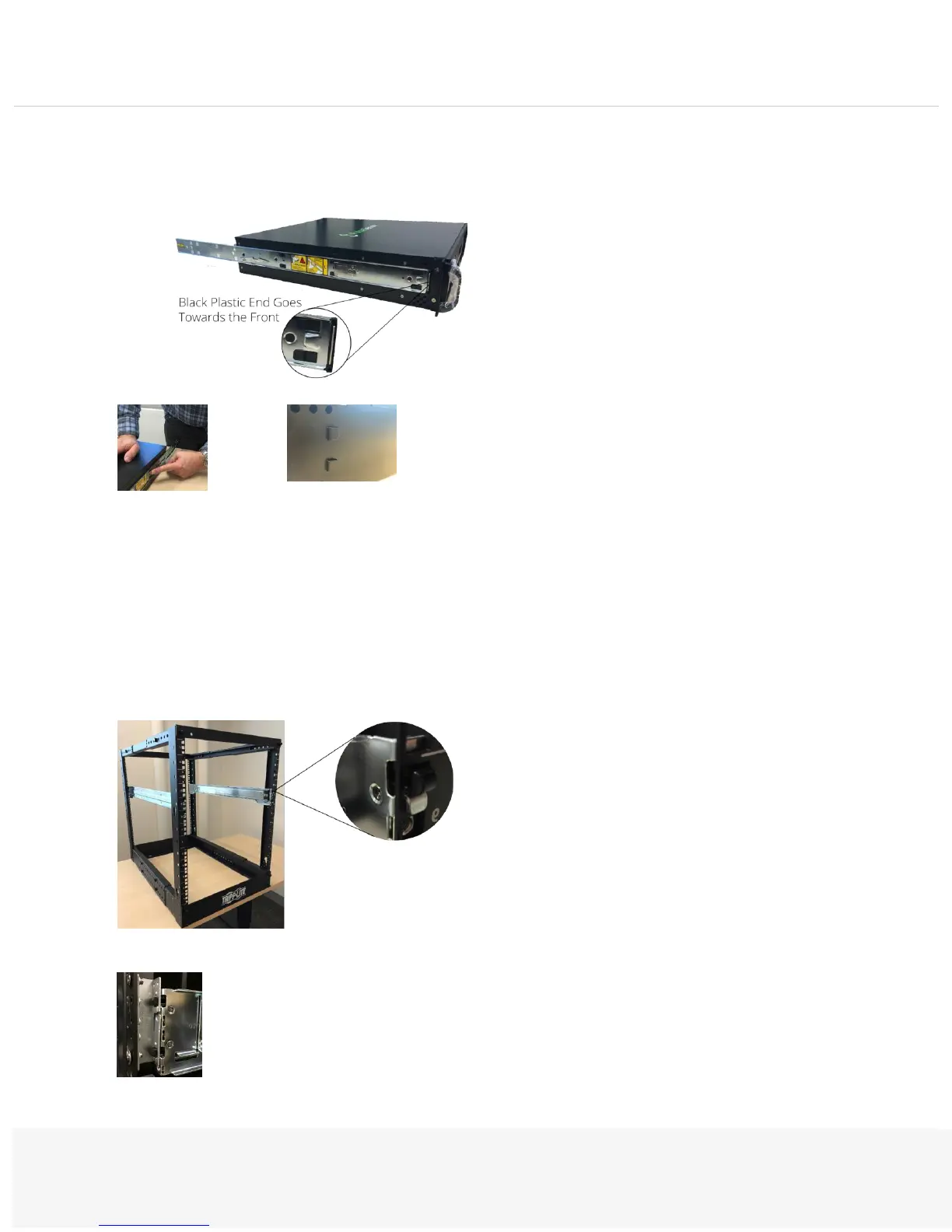
Attach the inner rails to the sides of the PSA7000:
The tabs on the side of the chassis slide into the rails.
Press down hard on the area shown in the picture, then slide the inner rail forward, pushing firmly until it
clicks into the locked position.
Step 4 - Attach to the Rack
Put the outer and middle rails on the rack. Hang the rail hooks on the rack holes:
If your rack has round holes, use the adaptors provided:


 To Next Page