Using your EVOKE-1S
Volume controls
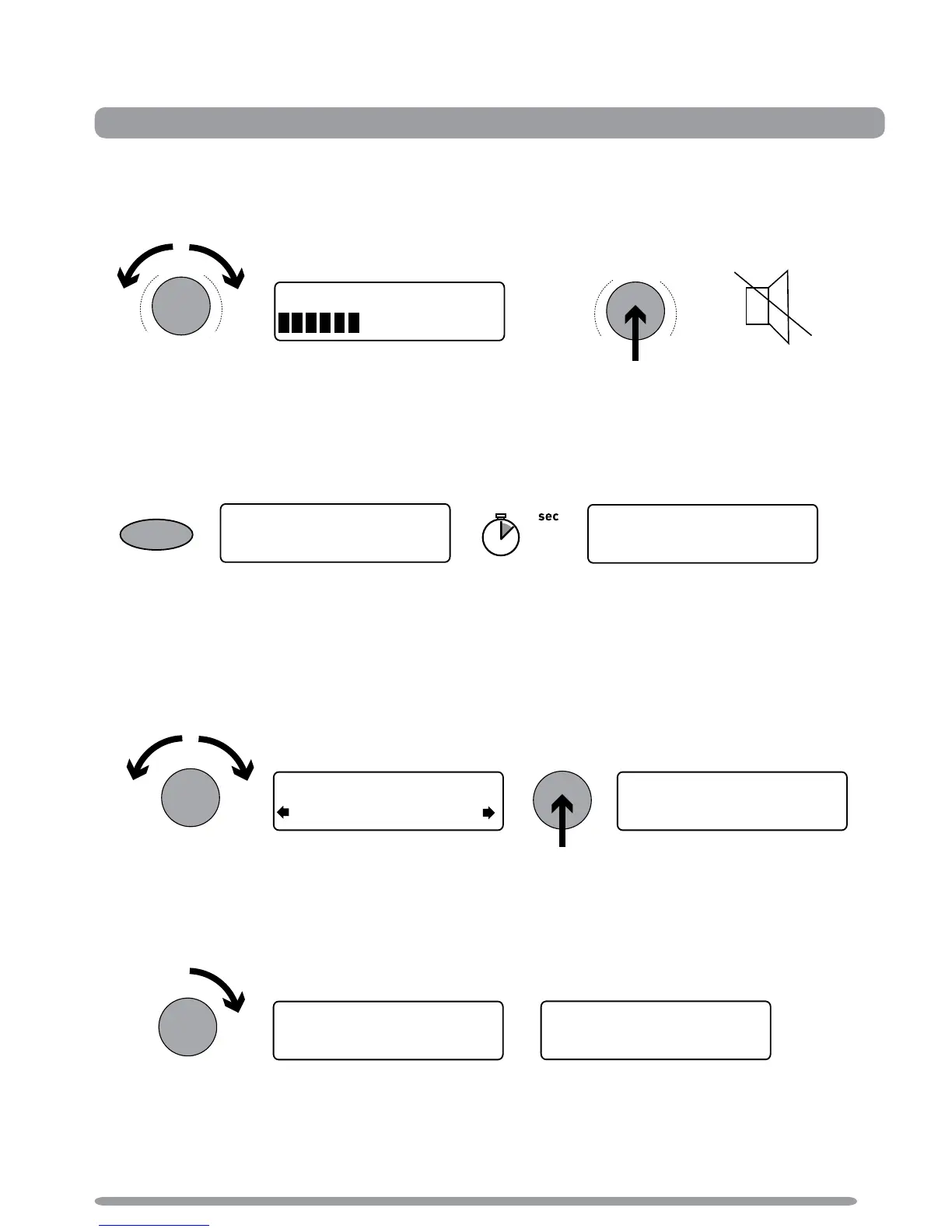
Adjusting the volume
Switching between DAB, FM and an Auxiliary device
Press the Source button and then repeat to listen to DAB, FM or Auxiliary device (a separate
device such as an MP3 player).
Changing stations
When listening to DAB
Turn the Tune dial left or right to browse through the list of available DAB stations. The current
station remains at the top of the screen. Push the Tune dial to change the station.
When listening to FM
Seek Tuning
Turn and release the Tune dial right or left to seek to the next or previous FM station that has a
strong signal.
Manual Tuning
1. Change the FM tuning mode to ‘Manual’ (see page 11).
2. Turn the Tune dial right or left to step up or down 0.05 MHz.
Adjust volume > Switch DAB/FM/Aux > Change stations > Change on-screen info > textSCAN™
Using your EVOKE-1S



 To Next Page