Changing the information shown on screen
You can change the information that is displayed on screen. Press the Info button and repeat to
cycle through the information display options available for the current audio source.
Scrolling text Information broadcast by most DAB stations and some FM (RDS) stations.
Full screen time Displays the time (and an alarm indicator if the alarm is set).
Time and date Displays the time and date updated regularly by the DAB or FM (RDS) signal.
Programme type Describes the content of the current DAB or FM (RDS) station, e.g., Pop Music.
Multiplex name The DAB multiplex in which the current station is broadcast, e.g., Digital1.
Multiplex info The channel of the current DAB Multiplex, e.g., 12B.
Bit rate The bit rate (audio compression level) of the current DAB station and a
stereo/mono indicator.
Signal quality Displays DAB signal quality: 85 to 100 good; 70 to 84 OK; 0 to 69 poor.
Signal strength Displays a meter illustrating the strength of the DAB or FM signal.
Stereo mode Indicates whether the current FM broadcast is in stereo.
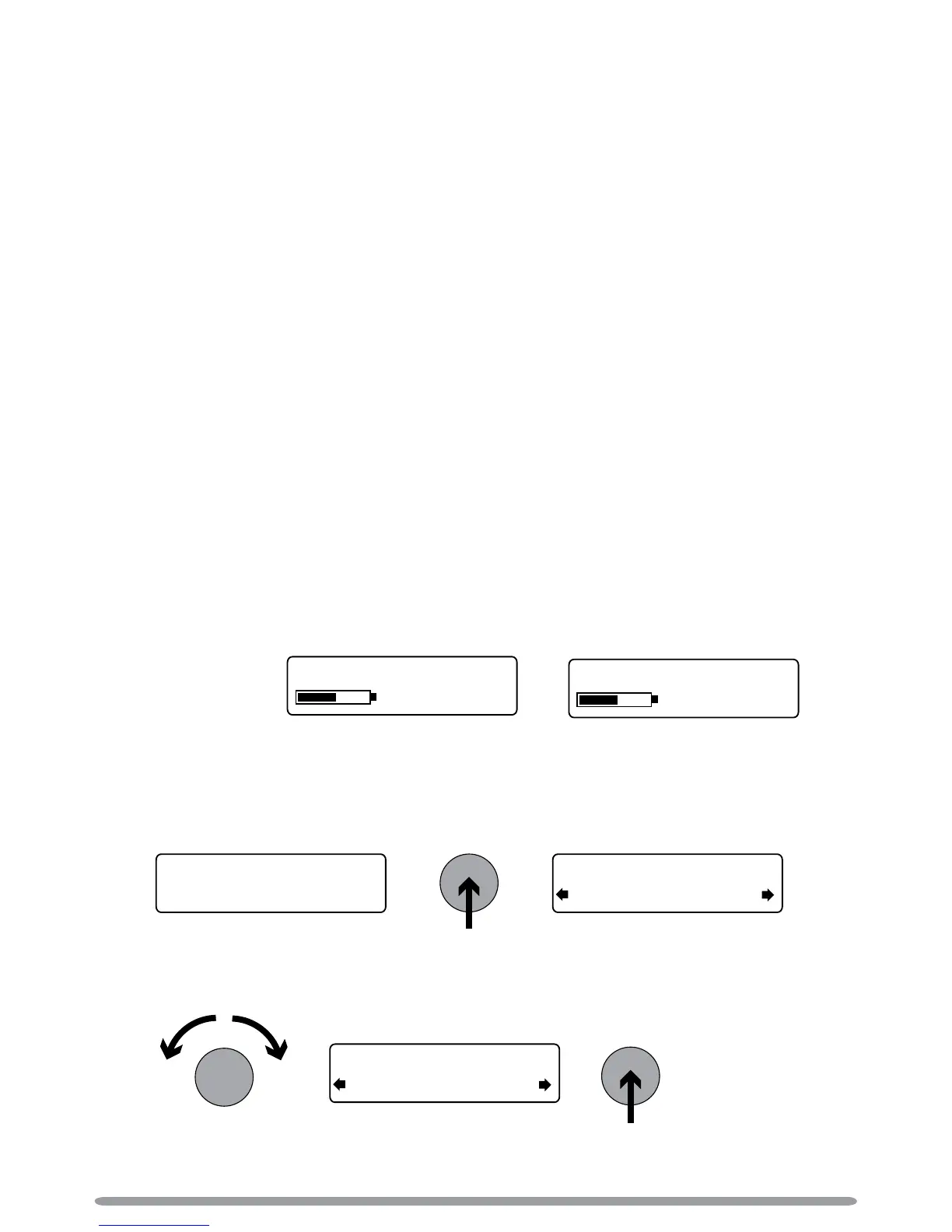
ChargePAK status Displays a charging or percentage power remaining indicator for the
optional ChargePAK Model E1 rechargeable battery pack (see page 12).
Using textSCAN™ to pause and control scrolling text
1. When ‘Scrolling text’ information is displayed in either DAB or FM, push the Tune dial to
pause the scrolling text.
2. Turn the Tune dial right and left to scroll forwards and backwards through the current scrolling
text. To exit textSCAN push the Tune dial again.
Using your EVOKE-1S
OR



 To Next Page