9
EN
Switching between Sleep, On and Off
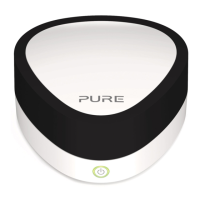
Jongo has three power states, Sleep, On and Off. In Sleep, Jongo remains
connected to the wireless network and waits to receive audio.
To enter Sleep, briefly press the Power button (Power light turns amber).
Once in Sleep, press the Power button to switch to On (Power light turns green).
To turn Jongo off, hold the Power button until the Jongo power light turns red, then
release.
Connector on Jongo Cable Output
Analogue audio Dual phono to 3.5mm,
dual phono to dual phono
DAC-processed
Hi-Fi audio
Digital coaxial out Phono to phono Raw digital audio
Digital optical out TOSLINK Raw digital audio
Choosing your audio connection
Note: Audio output is dependant on the source file quality.


 To Next Page