18
Using Jongo Setup Manager
Introduction
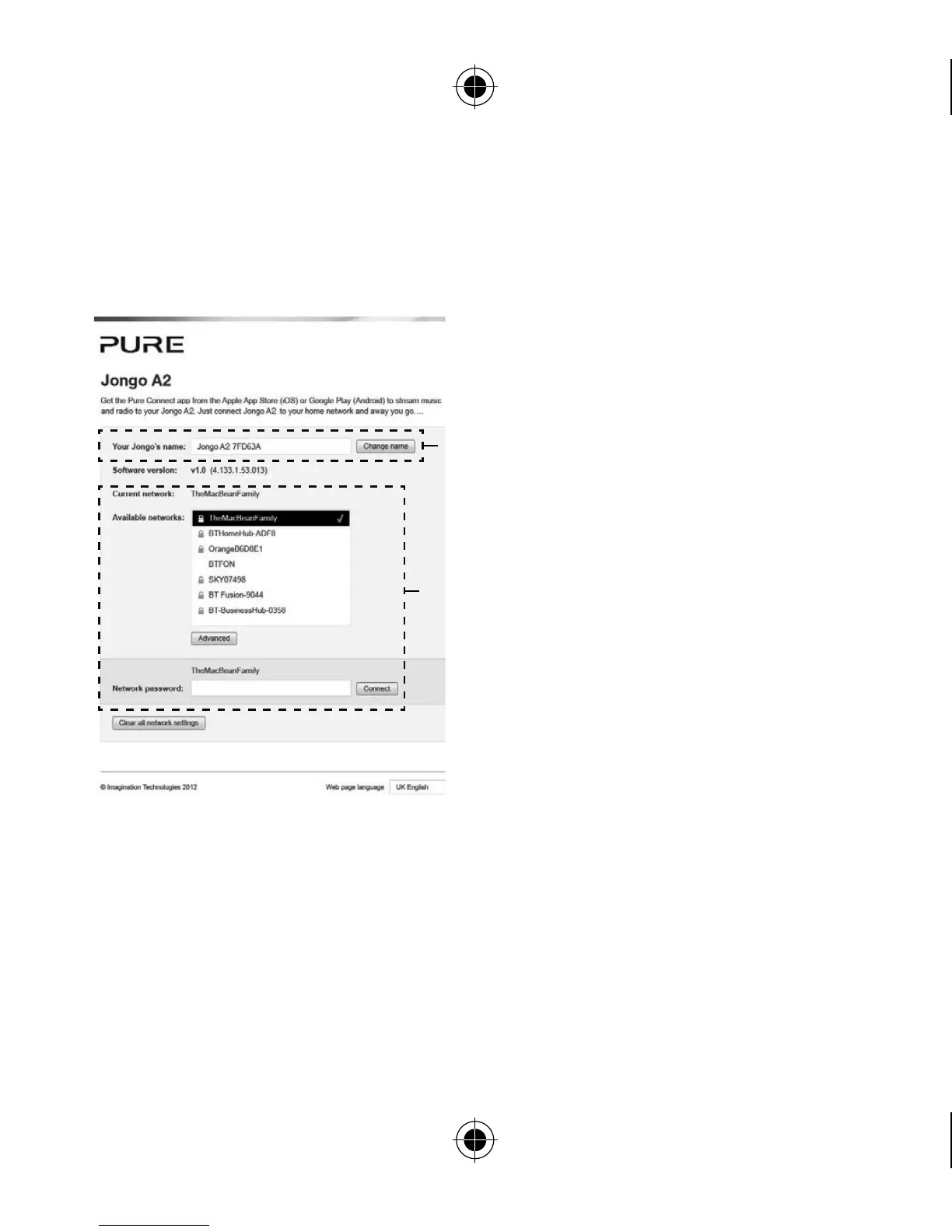
The Jongo Setup Manager allows
you to change various Jongo settings
(such as changing the name of your
Jongo) and view the software version.
To access Jongo Setup Manager,
put Jongo in Wi-Fi Setup mode by
pressing the WiFi button on the base
of Jongo and connect to the Jongo
A2 ****** wireless network.
Enter
http://192.168.1.1 into your web
browser.
Changing Jongo Setup
Manager’s language
Use the Web page language
drop-down menu to select the
language that you want to use for
Jongo Setup Manager.
Wireless
Network
Settings
Jongo
Name


 To Next Page