20
Appendix
Connecting Jongo to your wireless network
using Push Button Configuration
You can use Push Button Configuration to connect Jongo to your wireless
network if WPS is supported by your router. Refer to your router user guide for
more information on WPS.
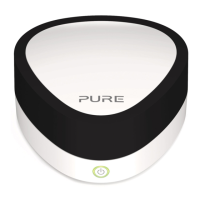
1. Press and hold the WiFi button on Jongo. Jongo’s Power light will pulse
green while Jongo attempts to connect to your network.
2. When Jongo’s Power light is steady green, Jongo has successfully
connected to your network using Push Button Configuration. You will now be
able to start streaming tracks to Jongo. See page 15.
Note: The WPS function may be disabled by default in some WPS-compatible
routers. Consult your router documentation for more information.


 To Next Page