13
EN
Stage 1: Connecting your setup device to Jongo
In the first setup stage you need to establish a temporary wireless connection
between your setup device (iPod touch, iPhone, iPad, laptop or Android device)
and Jongo. Your setup device needs to include a web browser and support a
Wi-Fi connection.
To create a temporary wireless network:
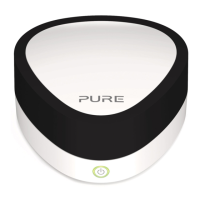
1. Press the WiFi button on Jongo. Jongo’s Power light will flash amber.
2. On your setup device, the Jongo A2 ****** wireless network should now be
visible. Select this network. No password is required.
Once you have connected to the Jongo A2 ****** wireless network, Jongo’s
Power light will alternately flash amber and green.
Stage 2: Accessing Jongo Setup Manager
Jongo Setup Manager may be displayed automatically on some devices, if not
follow the steps below:
1. On your setup device, start your web browser.
2. Enter the following address: http://myjongo
3. The Jongo Setup Manager will be displayed.
Manually connecting Jongo to your wireless
network


 To Next Page