User Manual
PT-E-HD10
7. Panel Description
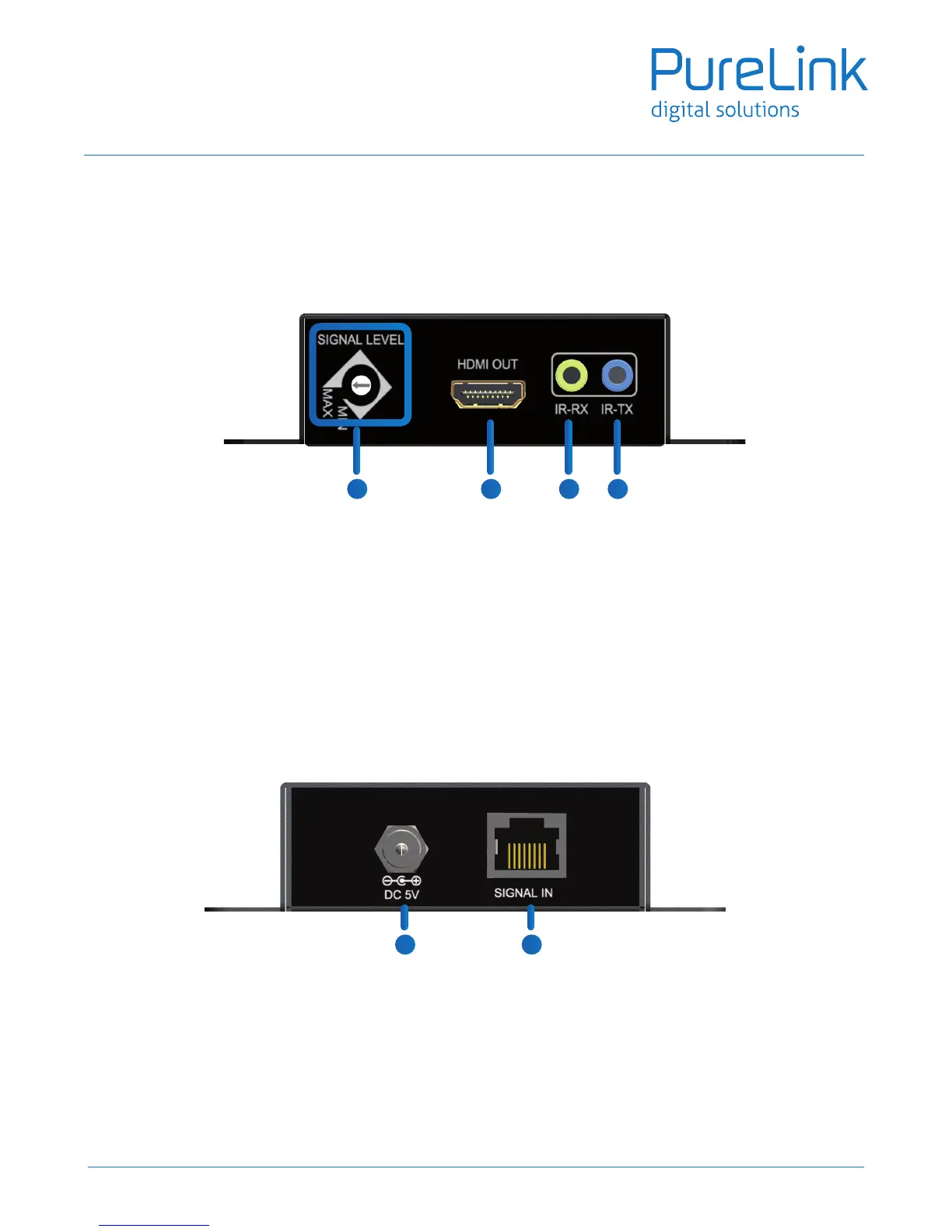
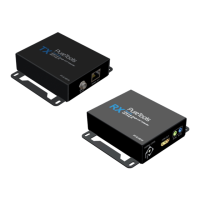
Receiving unit PT-E-HD10 RX
Front Panel
Rear Panel
7. HDMI OUT: Connect to a HDMI display with a HDMI male-male cable here.
8. SIGNAL LEVEL: Adjust the equalization control to the received HDMI signals. The HDMI signal level varies
from MAX (strongest) to MIN (weakest) for respective transmission length from longest possible range to
short distance. Please adjust the signal level from MIN to MAX and stop turning the rotary switch whenever
the audio/video is playing normally. Inappropriate signal level setting may cause overpowering issue that
would shorten the product life significantly!
9. IR Receiver: Infrared 3.5mm socket for plugging in the extension cable of IR receiver
10. IR Blaster: Infrared 3.5mm socket for plugging in the extension cable of IR blaster
11. +5V DC: Connect to 5V DC power supply.
12. HDMI SIGNAL IN: Plug in a Cat.X cable and link to the RJ-45 port of the PT-E-HD10, transmitting unit [TX]
7 8 9
10
11 12
7


 To Next Page