Document No.: 1P0446-1 Rev. B, April 7, 2014
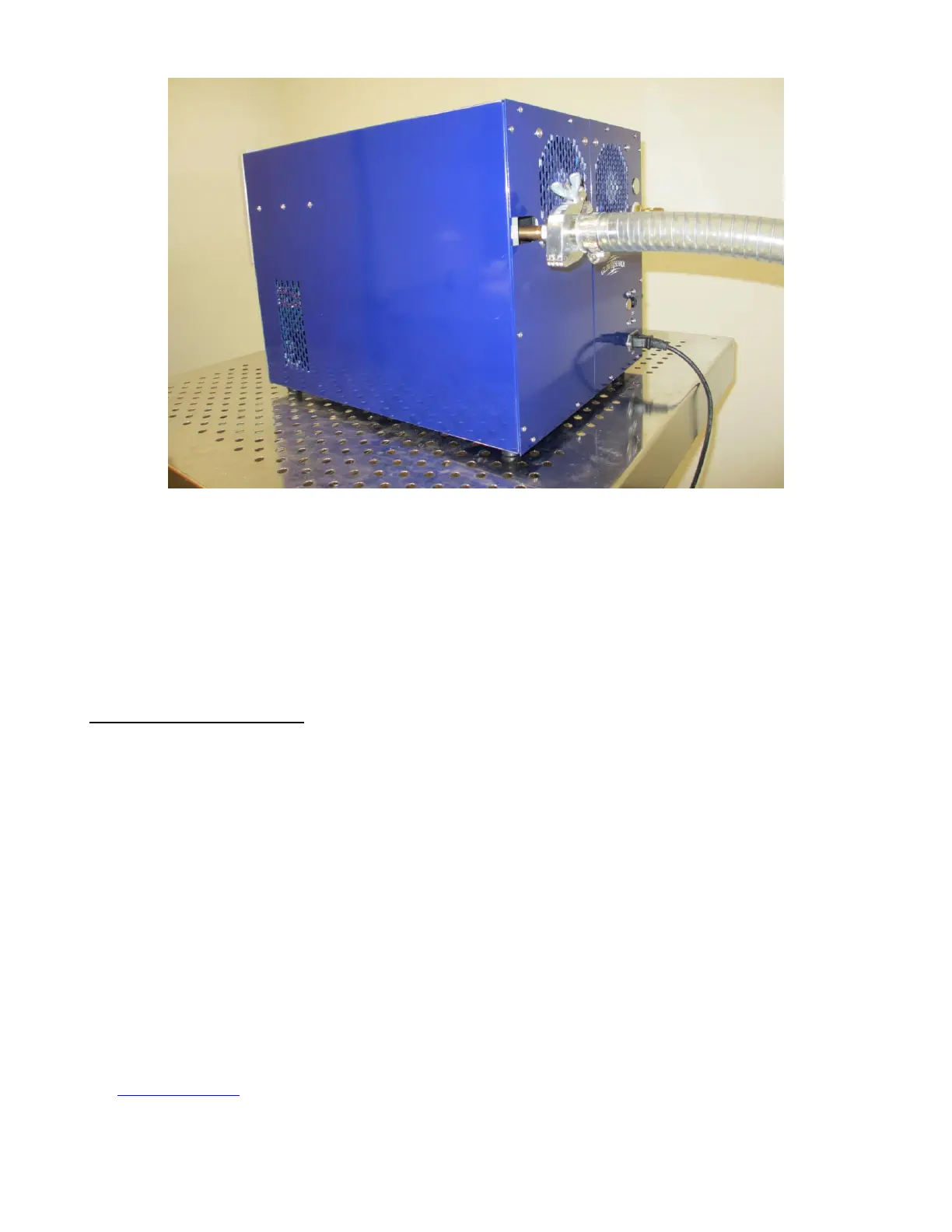
Figure 4-3 vacuum hose
4.4 Initial Startup
After the machine has been properly installed, you can begin operation. But before starting any
vacuum system, it is advisable to first check the vacuum integrity.
VACUUM INTEGRITY CHECK
The IoN 3 MHz provides a means of monitoring chamber pressure. An internal Pirani pressure gage
will report a pressure reading on the front DISPLAY when the SELECTOR is turned to the PRESSURE
position.
1. Make sure the AC power cord is connected and circuit breaker is in the ON (up) position.
2. Push AC ON.
3. Turn on the vacuum pump at the pump.
4. Set display SELECTOR switch to PRESSURE (TORR).
5. Depress the VACUUM switch to commence pumping down the reactor chamber.
6. Observe the chamber pressure level on the display; it should read 1 Torr in less than 5 minutes
and under .35 Torr after 20 minutes.
7. Wait 20 minutes to allow any residual moisture to exit the system.
8. Note the working pressure. If a front panel pressure reading below .35 Torr is not reached, check
chamber interior for cleanliness and/or commence leak detection procedure (detailed in
Troubleshooting section). A slight vacuum leak should not disturb standard processing or
compromise the system. Make sure your vacuum pump is in good working order.


 To Next Page