20
Advancedplayback
DVD
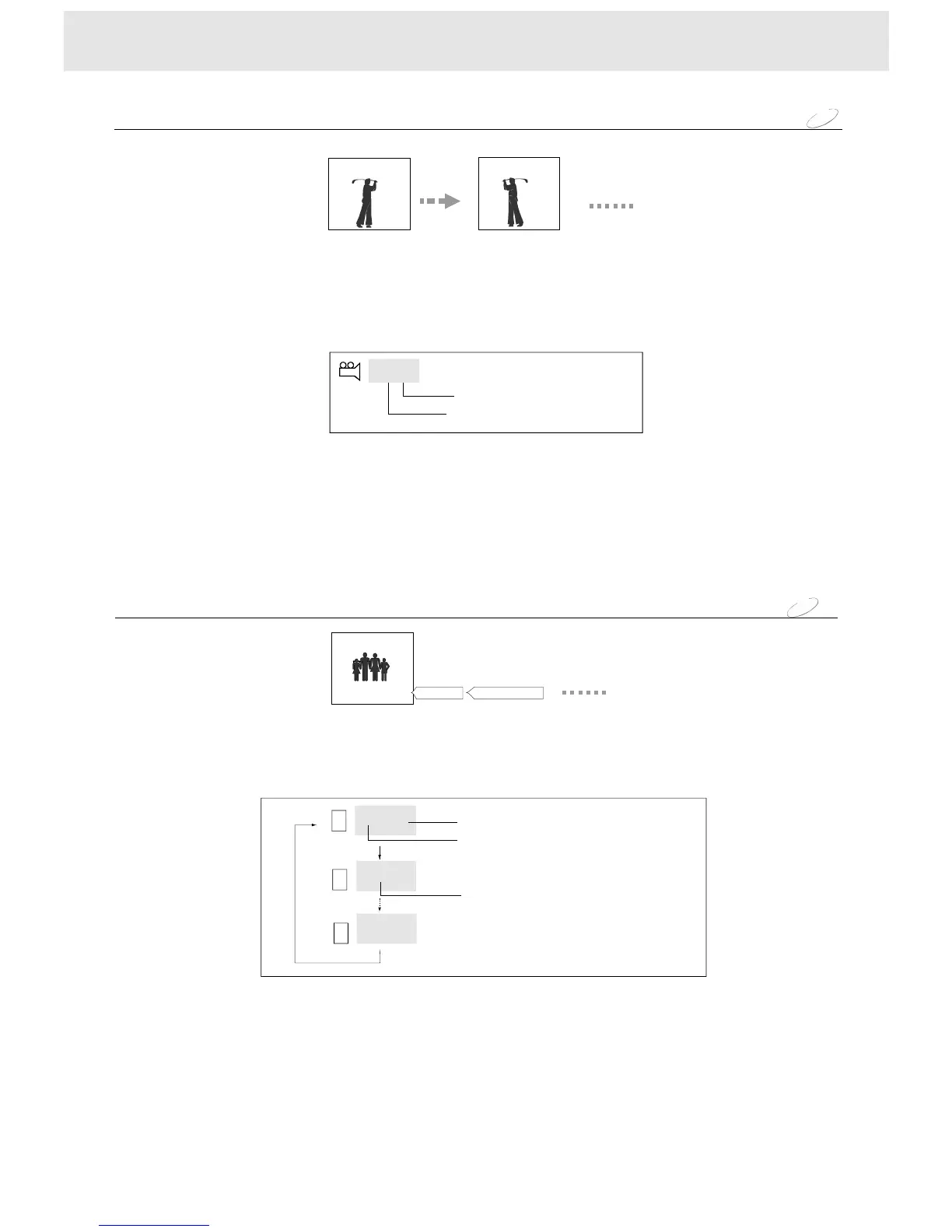
Selectingthecameraangle
NOTE
Ifyoupauseapictureimmediatelyafterchangingacameraangle,theresumedplaybackpicturemay
displaythenewcameraangle.
Youcanselectapreferredcameraangletowatchascene.
Ifthescenewasrecordedfrommultipleangles,youcaneasilychangethecameraangleofthescene
youarewatching.
1PressANGLEbutton,ifthetotalanglenumberincludedonthediscismorethan1,
thentheangleiconisdisplayed.
2EachtimeyoupresstheANGLEbutton,thecameraanglechanges.
X/X
[2/2]
[1/2]
Totalanglenumber
Currentanglenumber
ANGLE
ANGLE
Goodevening!
DVD
Youcandisplaysubtitlesonthescreenandselectapreferredsubtitlelanguage.
EachtimeyoupresstheSUB(SUBTITLE)button,thesubtitlelanguages
includedontheDVDdiscchange.
NOTE
SomeDVDdiscsaresettodisplaysubtitlesautomatically,andyoucannotturnthemoff
evenifyousetthesubtitlefunctiontooff.
Duringsomescenes,thesubtitlesmaynotappearimmediatelyafteryoupressSUBbutton.
SomeDVDdiscswillallowyoutomakesubtitleselectionsandturnsubtitlesonoroff
onlyviathediscmenu.
Duringsomescenes,thesubtitlesmaynotappearimmediatelyafteryouchangethelanguage
bypressingtheSUBbutton.
Selectingsubtitles
Bonsoir!Buenastardes!
!
Off
||||||||||||||||||
||||||||||||||||||
||||||||||||||||||
Eng
Fre
Currentsubtitlelanguagenumber
Totalsubtitlelanguagenumber
Currentsubtitlelanguage
1/3
2/3


 To Next Page