26
Radiooperation
1.Ifnostationcanbereceived,"-----"appearsinthedisplayfortheemptychannel.
2.Iffewerthan5stationscanbereceived,thesystemwillmemorizeasmany
stationsaspossible,thenplaybackstartsfromthefirstchannel.
3.YoucanselectAutoTravelPresetmodeinFMF2(orF3)andLWA2
or[FMF1(orF3)andMWA1]band.
4.PressthenumberSELbutton,youcanadjustthesoundoftheradio.
Whenyouaredrivinginanunfamiliarlocationandwanttomemorizelocalstationswithout
changingthestandardpresetstations(5FMF2and5LWA2).
Atotal10stations(5FMF2and5LWA2)canbeprogrammed.
Tosetthestations....seethe[theRADIOTUNINGonpage25]
3(AutoTravelPreset)operation
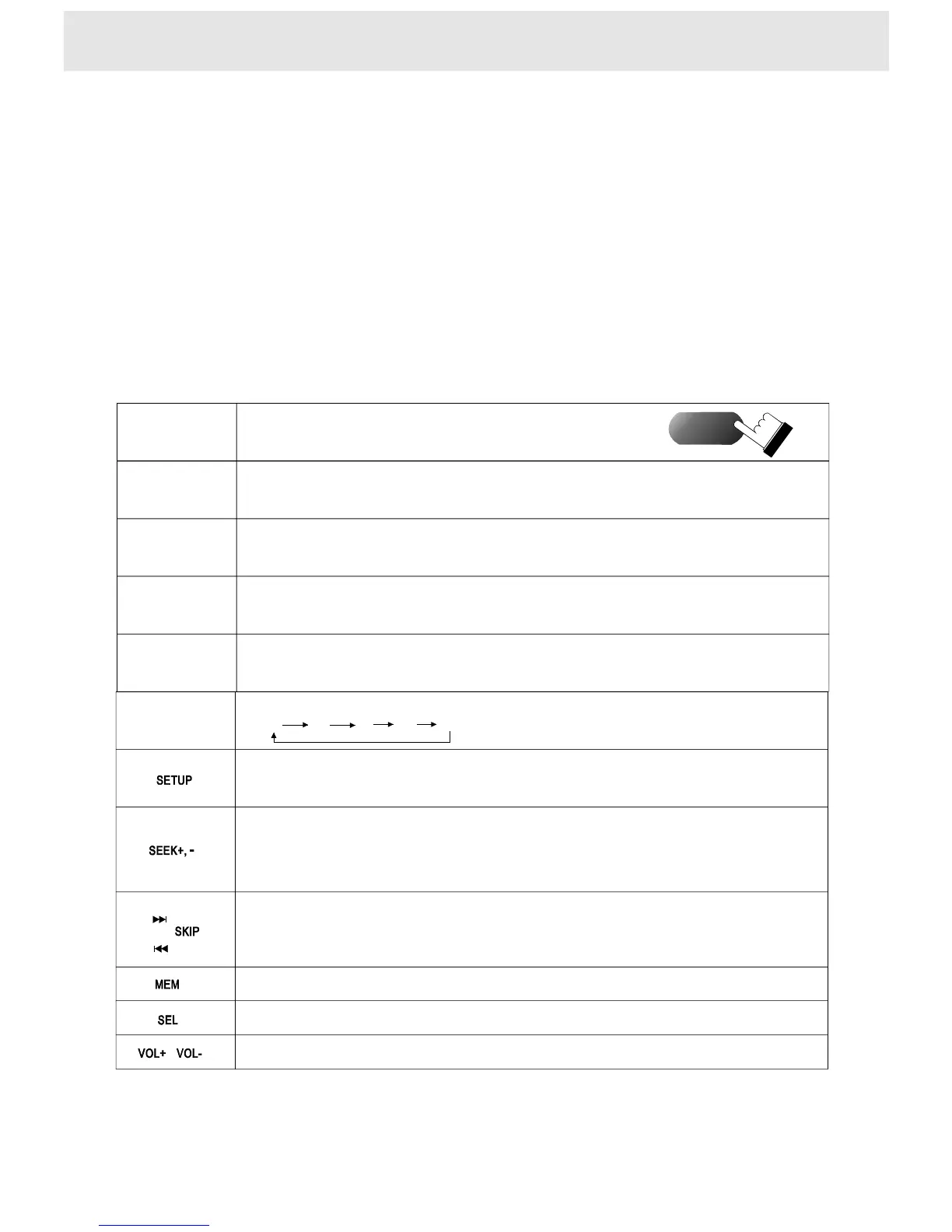
DVD/
RADIO
1342
5
SCAN
Poweronfromthebeginningregardlessofthemode
(DVD,FM,MW,LW)whereyoupoweroff.
Poweron/off.
Switchbetweenmode
andmode.
theradio
DVDplayer
Inradiomode,selectthedesired
channel(ch1~ch5)withthenumber
button(1~5)directly
Startautomatic tuningandplayeachreceivablestationsforseveralseconds
storethedesiredstationbypresstheMEMbuttonandfavournumberbutton.
Inradiomode,PresstheBANDbuttonyouchangethecurrentbandtoothersinturn:
F1F2F3A1A2
InMWband,pressSETUPbutton,
changetoMW-530(10K),MW-531(9K)inturn.Ifthereceivingrangeofyourlocationis531~1710K(Hz)
tuningstepis9K(Hz).Iftherangeis530~1710K,thestepis10K.Ifyouarenotsuretherangeofyour
location,andyoucannotreceivestationincurrentrange,trytheotherrange.
1)Inradiomode
2)Toquicklyscanupordowninfrequency,presstheSEEKbuttonReleasethebutton
andthedisplayapproachesthedesiredfrequencyautomatically.
3) storethedesiredstationbypresstheMEMbuttonandfavournumberbutton
1)Inradiomode
2)Toselectfrequencyfinely,presstheSKIPbutton.Eachtimeyoupressthebuttonthe
frequencytuneupordowninfrequency.
3) storethedesiredstationbypresstheMEMbuttonandfavournumberbutton
Storethecurrentstation
Remotecontroloperation
Thebutton
ontheremote
Pressthebuttonontheremote
Selecttheaudiofunctions:bass,treble,balance,fader,loudness
4Adjustingthevolume
TurnupordownthevolumewiththebuttonVOL+,VOL-.
Turnupordownthevolume
POWER
BAND


 To Next Page