4
Frontpanel(Folddowndesignpanel)
Seethepageinforthedetails.
Discslot
11
Ejectbutton
Loadingandejectingthedisc
Frontpanel
PresstheOPENbuttontoopenthedoor.
InsertadiscintotheSlotandplayerwillstart.
PresstheEjectbuttontoejectadisc.
SKIPbutton
inDVDplaymode,
presstheSEEKbuttononthefrontpanelandreleasethebutton,theplayerplaysinSKIP,mode;
pressandholdtheSEEKbuttonformorethan1second,theplayerplaysinSCAN,mode.
9:
78
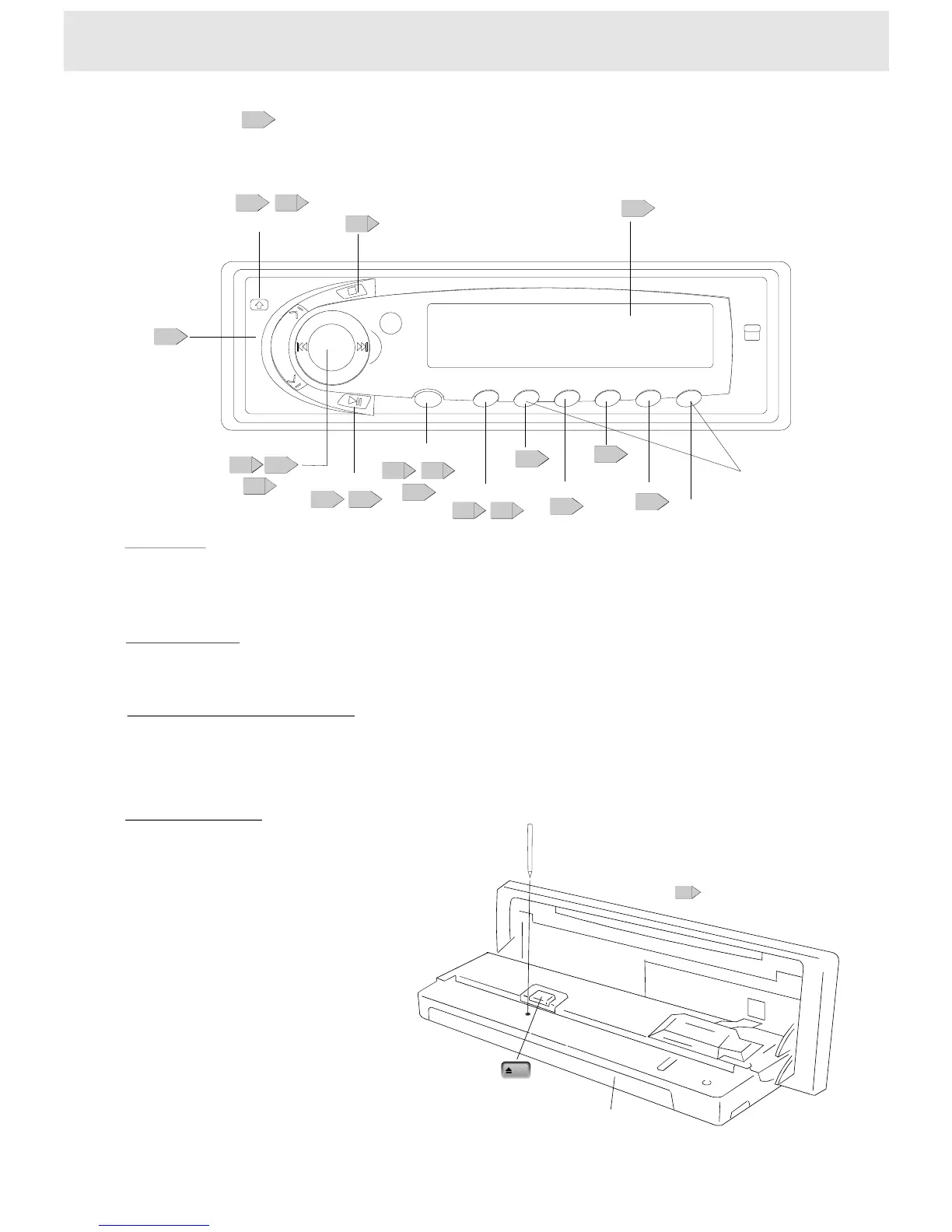
Identificationofcontrols
Eject
OPENbutton
1112
MEMORY/MUTE
1112
17
VOL(+,-)button
18
POWERbutton
DVD/RADIO
12
Display
5
PLAY,PAUSE,BANDbutton
12
SKIPbutton
SEEK
15
24
26
SCAN/SEL.
25
STOP
18
MENU
26
ENTER
15
REPEAT
17
17
AUDIO
PRESETSTATIONS
(1~5)
26
RESETbutton
Folddownthefrontpaneland
presstheRESETbuttonwithapointedobject,
suchasaballpointpen,asshown.
PressingtheRESETbutton
theunitwillbeoffforawhile.
AfterthatplaybackstartsfromRadio.
SopressingtheRESETbutton
willerasesomestoredcontents.
Resettingtheunit
Numberbuttons
OnlyinRadiomode,thenumberbuttonsworkas1~5


 To Next Page