More Security ,More Convenience
Figure
5.7
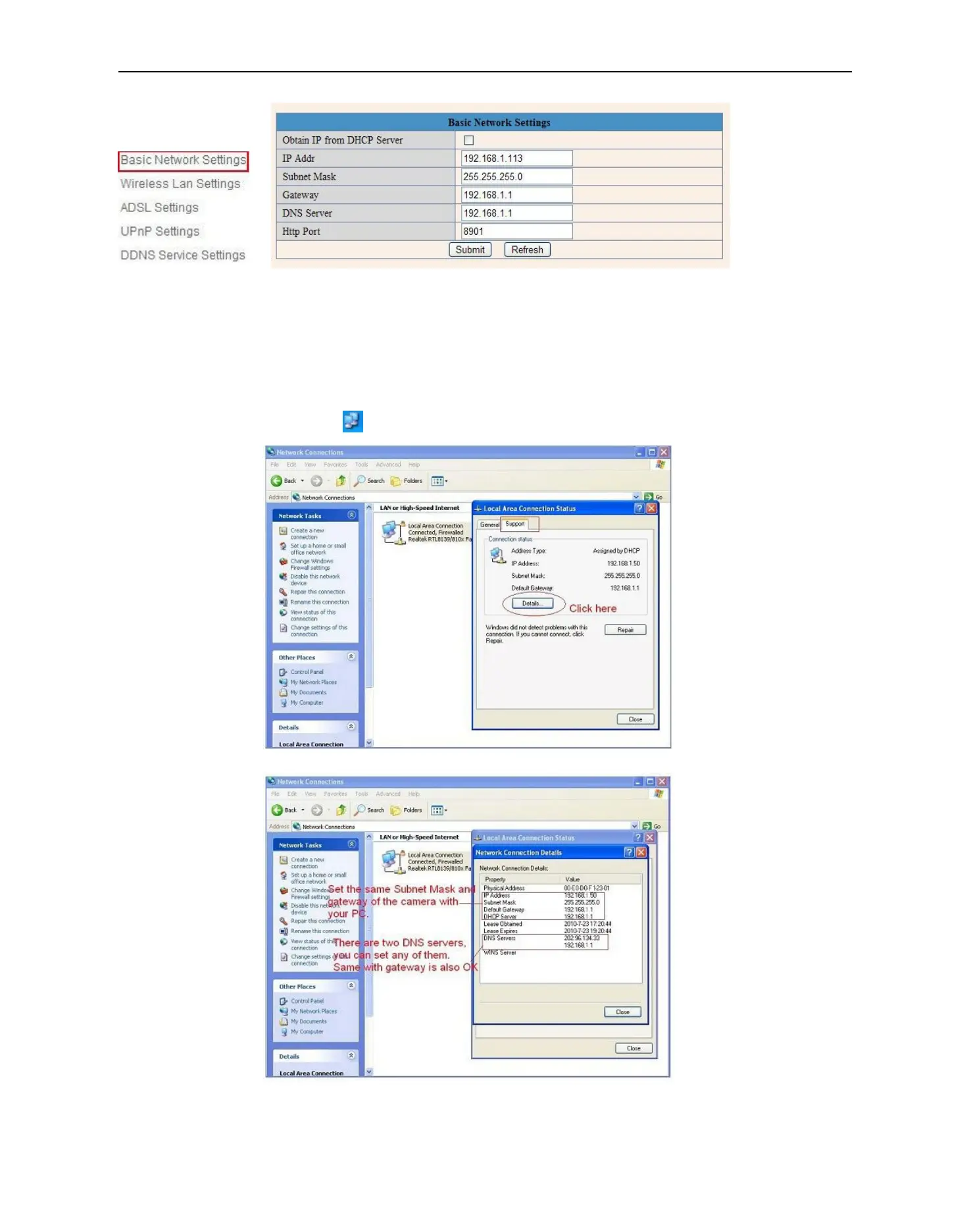
If you don’t know Subnet Mask, Gateway, DNS Server. Please check the Local Area Connection Status of your
computer; it contains all these information, steps as below:
1. Control PanelNetwork ConnectionsLocal Area Connections Support Details
2. Find the local connection icon from taskbar, left click it, choose Support Details
Figure
5.8
Figure
5.9



 To Next Page