EasyManua.ls Logo

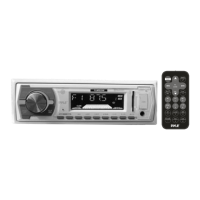
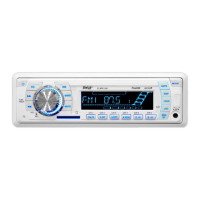
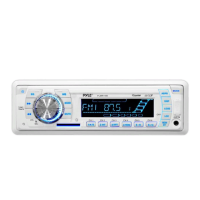
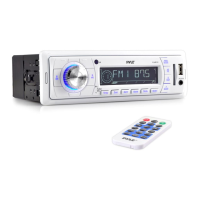
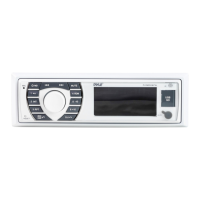
Pyle PLMR89WW - User Manual

Pyle PLMR89WW
12 pages
Print Icon
To Next Page IconTo Next Page
Loading...
1
PLMR89WW
OWNERS MANUAL
Mobile Audio System
PLL Synthesizer Stereo Radio
Automatic Memory Storing
USB Interface
SD Interface
3.5mm input jack
Weather Band function
www.pyleaudio.com

Questions and Answers

  • D
    Dustin PerryJul 26, 2025
    Why is there no sound coming from my Pyle Car Receiver?
    • A
      Ashley WalkerJul 26, 2025
      If your Pyle Car Receiver isn't producing any sound, first, make sure the volume isn't set to the minimum; adjust it to your preferred level. If the volume is fine, double-check that all wiring connections are secure and properly connected.
  • A
    Anthony GibsonAug 3, 2025
    How to fix a Pyle PLMR89WW that won't turn on?
    • J
      juliedayAug 3, 2025
      If your Pyle Car Receiver has no power, ensure that the car ignition switch is turned to the “ACC” position if the power supply is connected to the car accessory circuits and the engine isn't running. Also, check the fuse; if it's blown, replace it with a new one.
  • R
    reynoldschristopherAug 10, 2025
    What to do if the radio doesn't work on my Pyle Car Receiver?
    • Q
      qdownsAug 10, 2025
      If the radio on your Pyle Car Receiver isn't working or the automatic station selection fails, ensure the antenna cable is securely connected. If the signal is weak, try selecting a radio station manually.
  • N
    Nicholas BellAug 17, 2025
    What to do if the operation keys do not work on Pyle Car Receiver?
    • T
      tracy28Aug 18, 2025
      If the operation keys on your Pyle Car Receiver aren't responding, the built-in microcomputer might not be working correctly due to noise. Try pressing the reset button to resolve this issue.

Summary

INSTALLATION

DIN FRONT-MOUNT Installation Opening

Describes the dashboard opening dimensions required for unit installation.

Installing the unit

Details the steps for physically mounting the unit into the dashboard.

Removing the unit

Outlines the procedure for detaching the unit from the dashboard.

WIRING CONNECTION

OPERATION

LOCATION OF KEYS

Identifies and labels all control keys on the unit's front panel.

Unit Controls and Display

Covers power, sound, EQ, time, display, aux input, and reset procedures.

Radio Functions

Details switching modes, bands, and station selection for radio operation.

Station Management

Explains automatic/manual station storing and program scanning functions.

Media Playback (USB;SD)

Covers USB/SD operation, track selection, playback, and controls.

REMOTE CONTROL (OPTIONAL)

FUNCTION KEY & CONTROL

Details the purpose and operation of each remote control button.

SPECIFICATION

TROUBLE SHOOTING

Pyle PLMR89WW Specifications

General IconGeneral
MP3 playbackYes
CD-R playbackNo
Supported radio bandsAM, FM
Display typeLCD
Display number of colorsMonochrome
Output power160 W
Product colorSilver
Audio output channels4.0 channels
Compatible memory cardsMMC, SD
Key illumination colorGreen

Related product manuals