EasyManua.ls Logo

Pyle PLMRKT33WT - User Manual

Pyle PLMRKT33WT
14 pages
Print Icon
To Next Page IconTo Next Page
Loading...
OWNER’S MANUAL
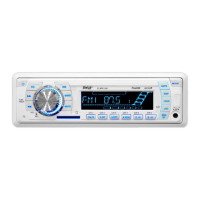
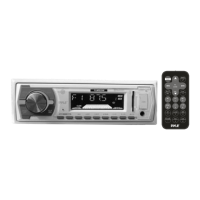
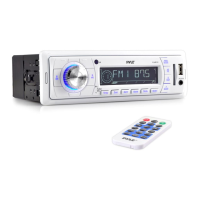
Mobile Audio System
PLL Synthesizer Stereo Radio
Automatic Memory Storing
Preset Equalization
USB Interface
Auxiliary Input Function
Remote Control
PLMR18
www.pyleaudio.com
PLMRKT33

Questions and Answers

  • B
    Brett GibsonAug 10, 2025
    Why is there no sound coming from my Pyle PLMRKT33WT Car Receiver?
    • H
      Hannah JimenezAug 10, 2025
      If you're not getting any sound from your Pyle Car Receiver, there could be a couple of reasons. First, check if the volume is set to the minimum and adjust it to your desired level. Also, ensure that all the wiring connections are properly connected.
  • M
    markgrossAug 18, 2025
    What to do if my Pyle Car Receiver has no power?
    • A
      Arthur WoodsAug 18, 2025
      If your Pyle Car Receiver has no power, it could be due to a couple of reasons. If the power supply is connected to the car accessory circuits, but the engine is not moving, switch the ignition key to “ACC”. Also, check the fuse; if it's blown, replace it.
  • M
    Melissa BenderAug 26, 2025
    Why does the radio not work on my Pyle Car Receiver?
    • K
      Katherine BrandtAug 26, 2025
      If the radio isn't working on your Pyle Car Receiver, check that the antenna cable is firmly inserted. If the signals are too weak, try selecting a station manually.
  • R
    rjarvisSep 2, 2025
    What to do if the operation keys on my Pyle PLMRKT33WT Car Receiver do not work?
    • A
      Amber PayneSep 2, 2025
      If the operation keys on your Pyle Car Receiver aren't working, it might be due to a microcomputer malfunction caused by noise. Try pressing the RESET button. Also ensure that the front panel is properly fixed into its place.

Summary

Installation Guide

Screw Removal for Installation

Instructions to remove mounting screws before proceeding with unit installation.

DIN Front-Mount Installation

Steps for installing the unit into a standard DIN dashboard opening.

DIN Rear-Mount Installation

Specific instructions for installing the unit using rear-mount brackets.

Wiring Connection Diagram

Operating the Mobile Audio System

Audio Sound Adjustments

Guide to adjusting sound parameters like volume, bass, treble, and balance.

Unit Reset Procedure

Steps to perform a system reset if the unit malfunctions.

Radio Tuning and Operation

Guide to using the radio functions, including band selection and tuning.

USB Device Playback

Instructions for playing MP3/WMA files from a USB storage device.

Advanced Track Searching

Methods for searching MP3/WMA files using specific buttons and modes.

Troubleshooting Common Issues

Pyle PLMRKT33WT Specifications

General IconGeneral
BrandPyle
ModelPLMRKT33WT
CategoryCar Receiver
BluetoothYes
USB PortYes
SD Card SlotYes
AUX InputYes
Radio TunerAM/FM
Remote ControlYes
Display TypeLCD
Water ResistantYes
Impedance4 Ohm

Related product manuals