EasyManua.ls Logo

Pyle PLCD11MRKT - User Manual

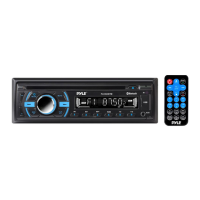
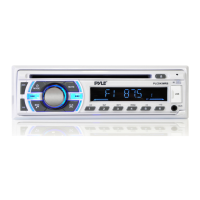
Pyle PLCD11MRKT
17 pages
Print Icon
To Next Page IconTo Next Page
Loading...
1
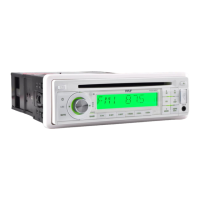
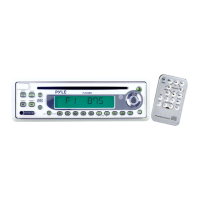
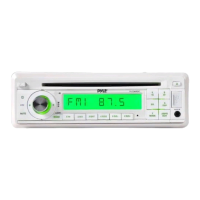
PLCD11MRKT
OWNER’S MANUAL
Mobile Audio System
PLL Synthesizer Stereo Radio
CD/MP3/WMA Player
Automatic Memory Storing
Full Detachable Panel
Preset Equalization
Electronic Shockproof (ESP) Function
USB Interface
SD Interface
www.pyleaudio.com

Questions and Answers

  • S
    Samantha WalkerJul 26, 2025
    Why is there no sound coming from my Pyle Car Receiver?
    • K
      Kelly LaneJul 26, 2025
      If you're not getting any sound from your Pyle Car Receiver, there could be a couple of reasons. First, check that the volume isn't set to the minimum; adjust it to a comfortable level. Secondly, make sure all the wiring is properly connected.
  • K
    Kristen HopkinsJul 31, 2025
    How to fix Pyle Car Receiver when it has no power?
    • A
      Amber HuertaJul 31, 2025
      If your Pyle Car Receiver has no power, it could be due to a couple of things. If the power supply is connected to the car accessory circuits, but the engine is not moving, switch the ignition key to “ACC”. Also, check the fuse; if it's blown, replace it.
  • V
    Victor AlvarezAug 5, 2025
    What to do if my Pyle Car Receiver sound skips?
    • P
      Paul JohnsonAug 5, 2025
      If the sound skips on your Pyle Car Receiver, it could be due to a couple of reasons: * The installation angle is more than 30 degrees. Adjust the installation angle to be less than 30 degrees. * The disc is extremely dirty or defective. Clean the compact disc, then try playing a new one.
  • D
    David DyerAug 9, 2025
    Why won't my Pyle PLCD11MRKT radio work or automatically select stations?
    • A
      Ashley WilliamsAug 9, 2025
      If your Pyle Car Receiver's radio isn't working or automatically selecting stations, check the antenna cable. Ensure it's firmly inserted. Also, the signals might be too weak, in that case, select a station manually.
  • G
    gabrielle89Aug 14, 2025
    What to do if my Pyle PLCD11MRKT Car Receiver operation keys do not work?
    • C
      Christian TownsendAug 14, 2025
      If the operation keys on your Pyle Car Receiver aren't working, it might be because the built-in microcomputer isn't operating properly due to noise. Try pressing the RESET button.
  • D
    davisalishaAug 20, 2025
    What to do if my Pyle PLCD11MRKT disc cannot be loaded or ejected?
    • A
      Alyssa ValdezAug 20, 2025
      If your Pyle Car Receiver is having trouble loading or ejecting discs, consider these possibilities: * If there is a disc inside the player, remove it before inserting a new one. * Ensure the disc is inserted correctly, with the label facing upward. * The disc might be dirty or defective; try cleaning it or using a new one. * If the car's internal temperature is too high, cool it down and try again when the temperature returns to normal. * Condensation might be the issue; leave the player off for about an hour, then try again.

Summary

INSTALLATION

Take out screw before installation

Procedure to remove screws before commencing unit installation.

DIN Front-Mount (Method A)

Instructions for installing the unit into a standard DIN dashboard opening.

Removing the unit

Steps to safely detach the unit from the dashboard mounting sleeve.

DIN Rear-Mount (Method B)

Guidance for installing the unit using rear-mounted brackets, common in specific vehicles.

USING THE DETACHABLE FRONT PANEL

REMOVING THE FRONT PANEL

Procedure for detaching the front panel from the main unit body.

INSTALLING THE FRONT PANEL

Instructions for correctly reattaching the front panel to the unit.

WIRING CONNECTION

OPERATION

LOCATION OF KEYS

Identification and layout of all control buttons and interfaces on the unit.

UNIT POWER & BASIC CONTROLS

Instructions for turning the unit on/off and using fundamental controls like mute and loudness.

AUDIO SETTINGS

Details on adjusting sound quality parameters like bass, treble, balance, and equalization.

SYSTEM FEATURES

Information on specialized functions like Electronic Shockproof (ESP) and unit reset.

RADIO OPERATION MODES

Guide to tuning, selecting bands, stations, and using automatic memory storage for radio.

CD OPERATION MODES

Instructions for playing CDs, selecting tracks, pausing, and previewing tracks.

MP3;WMA OPERATION

Operating procedures for MP3 and WMA discs, including track selection and playback.

DISC MANAGEMENT

Procedures for ejecting CDs, MP3 discs, and notes on disc compatibility.

USB PLAY OPERATION

How to connect and play audio files from a USB storage device.

WMA OPERATION

Details on playing WMA discs and files, similar to MP3 operation.

SEARCHING FILES AND DIRECTORIES

Methods for navigating and searching for files and directories on media devices.

SD OPERATION

Instructions for inserting and playing audio files from an SD card.

DISC HANDLING AND COMPATIBILITY

Important notes and cautions regarding CD, CD-R, CD-RW, and MP3 file usage.

REMOTE CONTROL

FUNCTION KEY & CONTROL

Detailed explanation of each button on the optional remote control handset.

SPECIFICATIONS

GENERAL FEATURES

Overview of the marine stereo system's general capabilities and included components.

SPEAKER DETAILS

Information on the included marine-grade waterproof speakers and their specifications.

TECHNICAL SPECIFICATIONS

Detailed technical data, including power output, file compatibility, and physical dimensions.

TROUBLE SHOOTING

Pyle PLCD11MRKT Specifications

General IconGeneral
MP3 playbackYes
DVD Video playbackNo
Audio formats supportedMP3, WMA
Supported radio bandsAM, FM
Preset stations quantity24
Output power100 W
Product colorWhite
Ready for iPod-
Disc types supportedCD, CD-R, CD-RW
Audio output channels4.0 channels
Display typeLCD
Number of speakers2
Number of optical discs1 discs
Weight and Dimensions IconWeight and Dimensions
Dimensions (WxDxH)177.8 x 177.8 x 49.78 mm

Related product manuals