Need help?
Do you have a question about the Pyle PLTS73UB and is the answer not in the manual?
Do not attempt to repair product yourself; refer servicing to qualified technician.
Avoid operating unit with engine off for extended periods to prevent battery drain.
Handle TFT LCD carefully; avoid strong stress, impact, or rubbing.
Prevent foreign objects in ports and handle remote battery safely.
Professional installation recommended; disconnect negative battery terminal before proceeding.
Steps for removing old unit, connecting wiring, and mounting new unit.
Details on rear panel connections for video inputs, outputs, and audio.
Diagram showing connections for speakers, power, ACC, ground, and antenna.
Controls unit power, media modes, and motorized screen operation.
Adjusts volume and accesses audio parameters like EQ, balance, and fader.
Manages radio tuning, music tracks, and Bluetooth calls.
Access to USB, SD, AUX ports and system reset functionality.
Controls unit power, media modes, and playback functions.
Seeks radio stations and recalls preset stations.
Manages EQ, mute, display info, and Bluetooth calls.
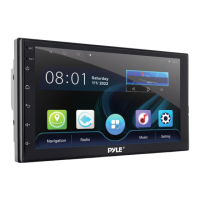
Accessing main menu via icon to select modes like Radio, Bluetooth, USB, Setup.
Adjusting logo, radio area, language, screensaver, beep, park control, etc.
Adjusting screen parameters (brightness, contrast) and touch calibration.
Adjusting sound effects, EQ presets, and subwoofer output.
Viewing software version and accessing factory setup menu.
Manual tuning, seek tuning up/down, and frequency scanning.
Storing and recalling favorite radio stations using preset buttons.
Selecting AM/FM bands and DX/LOC reception modes.
Inserting USB/SD cards for playback of video, song, and photo files.
Navigating tracks, play/pause, fast forward/backward, and sorting files.
Viewing root directory, music files, folders, and lists.
Controls for movie playback including play/pause, track skip, zoom, and audio/subtitle selection.
Controls for photo viewing including slideshow, zoom, rotate, and file list access.
Steps for pairing phone via Bluetooth with pass code '0000'.
Making, ending, redialing calls, and transferring audio.
Accessing incoming, outgoing, and missed calls from the recent call list.
Viewing, refreshing, and searching the phonebook contacts.
Playing, pausing, skipping music tracks via Bluetooth A2DP.
Configuring auto connect, answer, pin code, and sound settings.
Scanning QR code for 'Phonelink' app and connecting smartphone via USB.
Displaying and controlling smartphone screen on the car unit.
Explanation of icons for navigation, home, landscape, and exit functions.
Lists features like HD display, BT streaming, hands-free, CD/DVD, touchscreen, etc.
Specifics on BT version, name, password, range, and compatibility.
Important safety warning regarding chemical content.
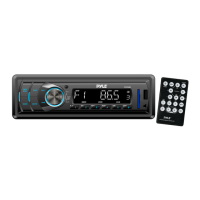
Lists included items: Single DIN Receiver, Remote Control, Power & Wiring Harness.
Details on power output, screen resolution, brightness, response time, impedance, SNR.
Interfaces, file compatibility (JPEG, MP3, MP4, AVI), working voltage, dimensions.
 General
| Brand | Pyle |
|---|---|
| Model | PLTS73UB |
| Category | Car Receiver |
| Language | English |

 To Next Page