Need help?
Do you have a question about the Pyle PLMRB29B and is the answer not in the manual?
General safety advice to prevent fire, electric shock, interference, and distraction while driving.
Warnings regarding handling and disposal of lithium battery cells for the remote control to prevent damage or explosion.
Guidance on preventing damage to connectors and ports by avoiding foreign objects in openings.
Warning against leaving the car radio on for extended periods with the engine off to prevent battery discharge.
Steps to ensure correct electrical connections before proceeding with the physical installation of the car radio.
Specifies the required dashboard opening dimensions for installing the car radio unit.
Detailed step-by-step guide for physically installing the car radio unit into the dashboard.
Visual guide and description of how to connect the car radio's wiring harness to vehicle power and speakers.
Instructions on how to safely remove the car radio unit from its mounting sleeve.
How to turn the unit on/off, adjust volume, mute audio, and change sound modes like loudness and EQ.
Switching between audio sources (Radio, BT, USB, AUX) and setting the clock.
Information on USB port, built-in microphone, and auxiliary input connector.
Procedure to reset the unit to factory default settings for troubleshooting.
Setting the radio's frequency range to either USA or European standards for AM/FM reception.
Cycling through available radio bands like FM1, FM2, FM3, AM1, and AM2 to access stations.
Manually tuning to frequencies or automatically scanning for the next available station.
Methods for saving favorite radio stations to preset memory slots and recalling them.
Automatically finding and storing the strongest stations in the current band.
Adjusting reception sensitivity (LOCAL/DX) and FM reception (STEREO/MONO).
How to insert and safely remove USB drives and SD cards from the unit.
Using buttons for play, pause, skip tracks, fast forward, rewind, scan, repeat, and random playback.
Advanced methods for searching and selecting specific MP3 tracks or files by number, folder, or name.
Connecting external audio devices via the AUX IN jack and switching the source to AUX mode.
Initial setup process to pair a mobile phone with the car audio system via Bluetooth.
Making, answering, rejecting, ending calls, redialing, and adjusting talk volume.
Playing music from a paired mobile device wirelessly through the car audio system.
Step to remove the protective plastic tab from the remote control's battery compartment before first use.
Guide on how to replace the lithium battery cell in the remote control when it becomes weak.
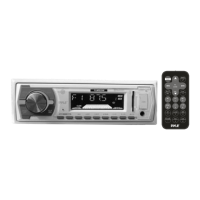
Guidelines for remote control usage and identification of its buttons and their functions.
Solutions for common problems related to power, connections, fuses, volume, and general operation.
Solutions for radio reception problems like noise, antenna connection, and preset station issues.
Troubleshooting steps for problems with USB/SD card playback, sound, or file compatibility.
 General
| Brand | Pyle |
|---|---|
| Model | PLMRB29B |
| Category | Car Receiver |
| Language | English |

 To Next Page