Need help?
Do you have a question about the Pyle PLMRKT36WT and is the answer not in the manual?
General safety advice for fire, electric shock, interference, volume, sunlight, battery disconnect, installation angle, and faceplate handling.
Warnings regarding cell leakage, explosion risk from throwing cells, and keeping cells away from children.
Warning against inserting foreign objects into receiver openings like USB, card slot, or AUX IN.
Warning against prolonged receiver use with the engine off to prevent battery discharge.
First complete electrical connections and then check that all connections are correct.
Describes the dashboard opening size required for unit installation.
Step-by-step guide to physically install the receiver into the dashboard.
Diagram illustrating audio and speaker output connections and power input.
Warnings regarding +12V DC negative ground and speaker impedance requirements.
Instructions for removing the main unit from its mounting sleeve.
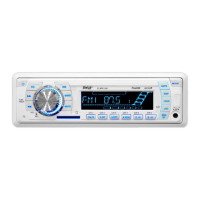
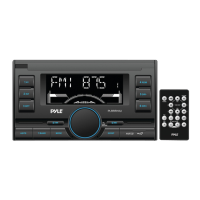
Identification and description of all buttons and ports on the receiver's front panel.
Instructions on how to turn the unit on and off using the front panel or remote.
How to cycle through and adjust audio settings like Bass, Treble, Balance, EQ, Loudness, DX/LOC, Stereo/Mono, Clock, and Area.
Step-by-step guide to pair and connect a Bluetooth-enabled mobile phone.
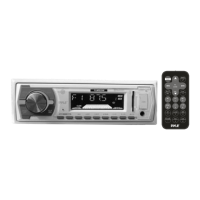
Identifies and describes each button on the remote control.
Solutions for common issues like engine switch, cable connection, burnt fuse, volume, and key operation.
Solutions for radio issues like broadcast noise, antenna connection, and preset station reset.
Solutions for USB/SD card connection problems, no sound, or damaged files.
 General
| Brand | Pyle |
|---|---|
| Model | PLMRKT36WT |
| Category | Car Receiver |
| Bluetooth | Yes |
| USB Port | Yes |
| SD Card Slot | Yes |
| AM/FM Radio | Yes |
| Aux Input | Yes |
| Water Resistant | Yes |
| Single DIN | Yes |
| Display Type | LCD |
| Remote Control | Yes |
| Compatible With | MP3, WMA |


 To Next Page