EasyManua.ls Logo

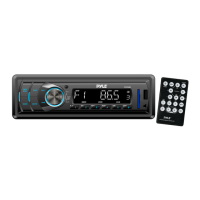
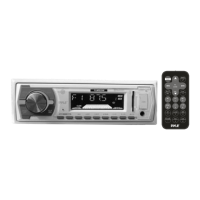
Pyle PLRRR18U - User Manual

Pyle PLRRR18U
13 pages
Print Icon
To Next Page IconTo Next Page
Loading...
1
PLRRR18U
OWNER’S MANUAL
Mobile Audio System
PLL Synthesizer Stereo Radio
MP3/WMA Player
Automatic Memory Storing
Preset Equalization
USB/MICRO SD Interface
www.pyleaudio.com

Questions and Answers

  • S
    Shelby WrightJul 28, 2025
    Why is there no sound coming from my Pyle Car Receiver?
    • A
      Adrian MartinezJul 28, 2025
      If your Pyle Car Receiver isn't producing any sound, first, make sure the volume isn't set to the minimum; adjust it to your preferred level. If the volume is fine, double-check that all wiring connections are secure and properly connected.
  • J
    James RobertsAug 4, 2025
    How to fix a Pyle Car Receiver that won't turn on?
    • M
      Madison FernandezAug 4, 2025
      If your Pyle Car Receiver has no power, ensure that the car ignition switch is turned to the “ACC” position if the power supply is connected to the car accessory circuits and the engine isn't running. Also, check the fuse; if it's blown, replace it with a new one.
  • J
    Jack MillerAug 11, 2025
    What to do if the radio doesn't work on my Pyle PLRRR18U?
    • R
      Randy HansonAug 12, 2025
      If the radio on your Pyle Car Receiver isn't working or the automatic station selection fails, ensure the antenna cable is securely connected. If the signal is weak, try selecting a radio station manually.
  • B
    Brandy UnderwoodAug 18, 2025
    What to do if the operation keys do not work on Pyle PLRRR18U Car Receiver?
    • N
      Nicholas PerezAug 18, 2025
      If the operation keys on your Pyle Car Receiver aren't responding, the built-in microcomputer might not be working correctly due to noise. Try pressing the reset button to resolve this issue.

Summary

INSTALLATION

Installation Opening

Specifies dashboard opening dimensions for proper unit fitting.

Attentions of Installation

Crucial safety and procedural guidelines for installing the unit.

WIRING CONNECTION

ISO Connection

Details the standard wiring harness and pin assignments for the device.

OPERATION

Location of Keys

Identifies and explains the function of all buttons on the unit's front panel.

Basic Operation Controls

Covers switching on/off, sound adjustments, EQ, display, ESP, and auxiliary input.

Radio Reception

Details switching to radio mode, selecting bands, and tuning stations.

Memory and Scanning Features

Explains automatic station storage, program scanning, local/stereo functions.

Media Playback (USB;TF)

Guides on playing MP3/WMA from USB/TF, including track selection, navigation, and file management.

REMOTE CONTROL HANDSET

Function Key & Control

Explains the buttons and their functions on the optional remote control.

SPECIFICATION

General Specifications

Details power requirements, chassis dimensions, tone controls, and output power.

Radio Specifications

Lists FM/AM frequency coverage, IF, and sensitivity details.

TROUBLE SHOOTING

Troubleshooting Guide

Provides common symptoms, causes, and solutions for operational issues with the unit.

Pyle PLRRR18U Specifications

General IconGeneral
ModelPLRRR18U
TypeCar Receiver
Single DINYes
BluetoothYes
USB PortYes
SD Card SlotYes
AUX InputYes
AM/FM RadioYes
Remote ControlYes
DisplayYes
Display TypeLCD
Compatible WithMP3, WMA

Related product manuals