EasyManua.ls Logo

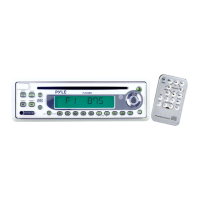
Pyle PLCD6MRKT - User Manual

Pyle PLCD6MRKT
17 pages
Print Icon
To Next Page IconTo Next Page
Loading...
1
PLCD6MRKT
OWNER’S MANUAL
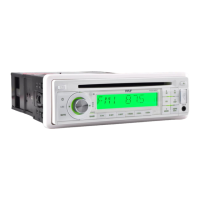
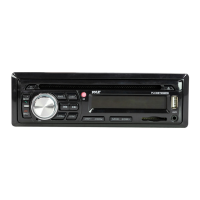
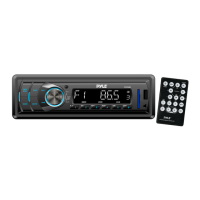
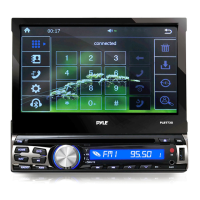
Mobile Audio System
PLL Synthesizer Stereo Radio
CD/MP3/WMA Player
Automatic Memory Storing
Full Detachable Panel
Preset Equalization
Electronic Shockproof (ESP) Function
USB Interface
SD Interface
www.pyleaudio.com

Questions and Answers

Pyle PLCD6MRKT Specifications

General IconGeneral
BluetoothYes
Display TypeLCD
Radio TunerAM/FM
TouchscreenNo
NavigationNo
DVD PlayerNo
USB PortYes
SD Card SlotYes
Rear Camera InputYes
Steering Wheel Control CompatibleYes
Aux InputYes
Video PlaybackNo
Audio PlaybackYes
EqualizerYes
CompatibilityUniversal
Audio SourcesUSB, SD Card, AUX, Bluetooth

Summary

Installation Guide

Prepare for Installation

Step to remove a screw before installing the unit.

DIN Front-Mount Installation (Method A)

Instructions for installing the unit using the front-mount method.

DIN Rear-Mount Installation (Method B)

Instructions for installing the unit using the rear-mount method.

Using the Detachable Front Panel

Removing the Front Panel

Steps and precautions for detaching the front panel.

Installing the Front Panel

Steps to correctly reattach the front panel to the main unit.

Wiring Connection

ISO Connection Overview

Overview of the ISO connection standard used for wiring.

Four-Speaker System Wiring

Wiring diagram for connecting four speakers to the unit.

Unit Operation

Location of Unit Keys

Identification and labeling of all control buttons on the unit's front panel.

Basic Unit Controls

Covers powering on/off, faceplate release, mute, loudness, and reset functions.

Audio and Reception Settings

Adjusting sound, equalization, mono/stereo, and local/distant reception.

Display and Protection Features

Information on display modes, LCD, and the Electronic Shockproof (ESP) function.

Radio Mode Operations

Switching modes, selecting bands, seeking stations, and storing presets.

CD Playback Controls

Instructions for CD playback, track selection, pausing, previewing, and repeating.

MP3;WMA Playback Control

Operations for MP3/WMA discs, including track selection and directory navigation.

MP3 Track Searching

Methods for selecting MP3 tracks, including direct numeric input and directory search.

File Navigation and Display

Searching from root directory and displaying file information like ID3 tags.

USB and WMA Playback

How to play audio files from USB drivers and WMA discs.

SD Card Playback

How to insert and play MP3/WMA files from an SD card.

Disc Compatibility and Notes

Supported decoding modes, disc compatibility, and general disc handling precautions.

MP3 File Requirements

Requirements for MP3 file format, naming, and compatibility for playback.

Optional Remote Control

Function Key and Control Explanation

Explanation of each button's function on the optional remote control handset.

Specifications

General Specifications

General specifications including power requirements, dimensions, and output power.

CD Player Specifications

Technical specifications for the CD player, such as signal-to-noise ratio and frequency response.

Radio Specifications

Technical specifications for the FM and AM radio tuner, including frequency coverage and sensitivity.

Troubleshooting Guide

No Power Issues

Possible causes and solutions when the unit does not power on.

Disc Loading;Ejection Problems

Solutions for issues related to disc loading and ejection.

No Sound Issues

Causes and fixes for the unit producing no audio output.

Sound Skipping Issues

Reasons for sound skipping and how to resolve them, including installation angle.

Control Key Malfunctions

Troubleshooting steps when control buttons or the front panel are unresponsive.

Radio Operation Problems

Solutions for radio reception issues and automatic station scanning failures.

Related product manuals