EasyManua.ls Logo

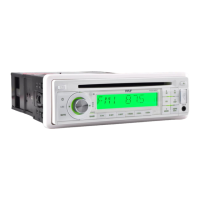
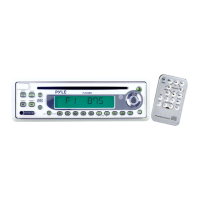
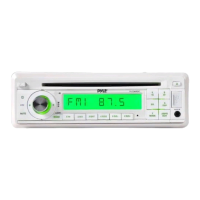
Pyle PLCD15MR - User Manual

Pyle PLCD15MR
14 pages
Print Icon
To Next Page IconTo Next Page
Loading...
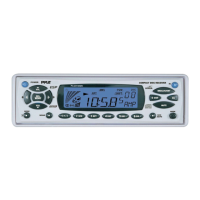
OWNER’S MANUAL
Mobile Audio System
PLL Synthesizer Stereo Radio
Digital Compact Disc Player
Automatically Memory Storing
Full Detachable Panel
Program CD Tracks
CD Changer Control
Auxiliary Input Function
PLCD15MR

Questions and Answers

  • D
    diamond75Jul 29, 2025
    Why is there no sound coming from my Pyle PLCD15MR?
    • B
      Betty CrosbyJul 29, 2025
      If your Pyle Car Receiver isn't producing any sound, first, make sure the volume isn't set to the minimum; adjust it to your preferred level. Also, verify that all wiring connections are properly connected.
  • J
    Jessica TurnerAug 3, 2025
    How to fix a Pyle Car Receiver that has no power?
    • L
      Lawrence BarnettAug 3, 2025
      If your Pyle Car Receiver isn't powering on, ensure the car ignition switch is in the “ACC” position if the engine isn't running. If that's not the issue, check the fuse and replace it if it's blown.
  • D
    dennis91Aug 8, 2025
    What to do if the radio on my Pyle PLCD15MR does not work?
    • S
      Sarah WardAug 8, 2025
      If the radio on your Pyle Car Receiver isn't working or automatically selecting stations, make sure the antenna cable is securely connected. If the signals are weak, try selecting a station manually.
  • J
    jenniferwhitneyAug 14, 2025
    Why does the sound skip on my Pyle PLCD15MR Car Receiver?
    • B
      Barbara MercadoAug 14, 2025
      If your Pyle Car Receiver is skipping sound, make sure that the installation angle is less than 30 degrees. Also, clean the disc or try a new one, as the disc may be dirty or defective.
  • A
    Angela ReyesAug 18, 2025
    What to do if the operation keys on Pyle PLCD15MR Car Receiver do not work?
    • K
      Kaylee KnappAug 18, 2025
      If the operation keys on your Pyle Car Receiver aren't working, try pressing the RESET button, as the built-in microcomputer might not be operating correctly due to noise.
  • S
    Sarah MooreAug 23, 2025
    What to do if my Pyle Car Receiver won't load or eject a disc?
    • J
      Jerry NavarroAug 23, 2025
      If your Pyle Car Receiver won't load or eject a disc, first, remove any disc currently in the player before inserting a new one. Ensure the disc is inserted correctly with the label facing up. If the disc is dirty or defective, clean it or try a new one. If the car's temperature is too high, cool it down. Finally, if condensation is the issue, leave the player off for about an hour before trying again.

Summary

Installation Procedures

Take Out Screw Before Install

Instructions for removing screws before installing the unit.

DIN Front-Mount Installation

Describes the process of mounting the unit in a DIN slot.

Removing the Unit

Step-by-step guide on how to detach the unit from the dashboard.

Detachable Front Panel Usage

Detach the Front Panel

Instructions for safely removing the detachable front panel.

Reinstall the Front Panel

Guide on how to correctly reattach the front panel.

Wiring Connection Diagram

System Operation

General Operation

Basic functions like power, faceplate release, and sound adjustment.

Radio Operation

Details on tuning, station selection, memory, and scanning.

CD Operation

Instructions for selecting tracks, playback, and program functions.

CD Changer Operation

Procedures for operating the CD changer, including disc notes.

Specifications

Troubleshooting Guide

Pyle PLCD15MR Specifications

General IconGeneral
MP3 playbackYes
USB direct playbackNo
Supported radio bandsAM, FM
Preset stations quantity30
Line outputs (RCA)2
Output power240 W
Product color-
Volume controlDigital
Weight and Dimensions IconWeight and Dimensions
Depth177.79 mm
Height49.78 mm

Related product manuals