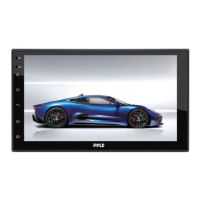
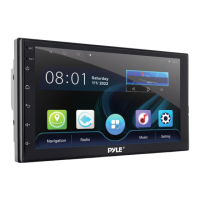
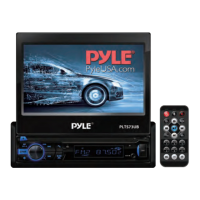
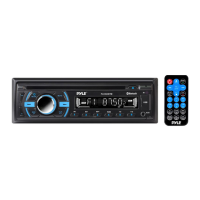
This is a user guide for the Pyle PLINDVTB10, a 10.1-inch adjustable single DIN car stereo receiver.
Function Description:
The PLINDVTB10 is an Android-based car stereo receiver designed to provide a comprehensive in-car entertainment and navigation experience. It features a 10.1-inch 1080P HD touch screen, offering a clear and interactive display for various functions. The unit supports wireless Bluetooth for hands-free calling and audio streaming, as well as Wi-Fi connectivity for online services. It includes a built-in GPS for navigation, AM/FM radio for local broadcasts, and a multimedia player for various audio and video formats. The device also offers Mirror Link functionality for Android and iOS phones, allowing users to display their phone's screen on the stereo. A notable feature is the inclusion of front and rear DVR recorders, providing enhanced safety and recording capabilities. The system is powered by 2GB RAM and comes with 32GB ROM for storage.
Important Technical Specifications:
- Display: 10.1-inch 1080P HD Touch Screen
- Operating System: Android platform
- Memory: 2GB RAM, 32GB ROM
- Connectivity: Wireless Bluetooth, Wi-Fi, GPS, AM/FM
- Multimedia Support: Multimedia Player, Mirror Link (Android/iOS)
- Camera: Front and Rear DVR Recorder included
- Audio Processing: DSP 32-band equalizer
- USB Ports: Dual USB
- Power: 12V+ (red and yellow wires), Ground (black wire)
- Speaker Outputs: Front Left/Right, Rear Left/Right
- Video Input: BACK UP CAMERA (12V+ trigger from reverse lights)
- Steering Wheel Control: Key 1 and Key 2 interface wires
- Antenna: GPS antenna, Radio antenna
Usage Features:
- System Installation: Before installation, disconnect the battery terminal to prevent short circuits. Consult a vehicle dealership for body modifications. Use included screws for installation. Avoid installing the unit where it obstructs the steering wheel, gearshift, safety devices (like airbags), or visibility.
- Turning Power On: Turn the engine key to "ACC" or "ON" position, then press and hold the power button for 3 seconds. The unit's status bar will turn off when the engine key is turned off.
- User Interface: The main interface provides quick access to Navigation, Radio, Phone, All Apps list, and Settings. Swipe UP/DOWN to access more applications.
- Navigation: Click "navigation" to enter the interface. If map data is missing, it will prompt for download. Map download, management, and updates are available through the top left corner icon.
- Local Music: Access local music files from SD card or USB interface by clicking "music" on the main interface. Features include folder browsing, sound settings, loop playback, and previous/next track control.
- Online Music: Access online music by clicking "online music" on the main interface (requires internet connection).
- Video Playback: Enter the video player interface by clicking "Video Player." Supports 1080P HD video from SD card or USB. Allows switching between All/SD/U Disk/File Browser.
- Calendar: Displays day, month, and year. Use arrows to view past or future months.
- Radio: Access local radio by clicking "radio." FM/AM bands can store up to 40 platforms each. Features include searching channels backward/forward, band switching, and DX/Locate functions.
- Wireless BT (Bluetooth): Click "Bluetooth®" to enter the connection interface. If no device is connected, it will prompt "Please connect HFP." Allows managing contacts, making calls, and pairing devices.
- DSP 32-bands: Adjust audio settings with a 32-band equalizer, including UltraBass, MediumBass, Mediant, Middle Treble, Treble, and Ultra Treble. Presets like Rock, Custom, Classic, Jazz, Pop, and Emperor are available.
- Phone Link APP: Follow instructions on the unit for detailed operation.
- Third Party Apps: For apps like Google Maps or YouTube, contact the app provider for specific instructions.
- Steering Wheel Learning: Program steering wheel controls by pressing a key on the wheel, then clicking the corresponding function button on the screen. Reset saved keys by clicking the designated icon.
- Brightness Setting: Adjust display brightness using the "+" or "-" icons.
- Volume Settings: Adjust media and call volume by sliding the button.
- GPS Monitoring: View GPS information and restart GPS by clicking the designated icon.
- Sound Settings: Adjust Subwoofer, bass, midrange, and treble. Choose sound presets or customize. Adjust speaker position by clicking the speaker icon. Restore default settings with the "default" icon.
- Touch Screen Calibration: Access the 'Touch Screen Calibration Menu' to optimize touchscreen performance. Follow on-screen prompts to touch the center of the "X" as it moves through numbered circles.
Maintenance Features:
- Memory Clean: Clean up memory to improve system speed.
- Desktop Wallpaper: Customize desktop wallpaper from "wallpaper" to "dynamic wallpaper" or from the "gallery."
- Reset Network: Resets all network settings, including WLAN, Mobile Data Network, and Wireless BT.
- Restore Factory Settings: Restores the system to factory settings and clears all data from the device's memory.
- Time Setting: Date and time can be set automatically via network or GPS. Manual adjustment is possible after disabling auto-update.
- Dual HD DVR Camera: Front and rear cameras function as DVRs, providing parking assistance and recording. Records roads ahead and behind simultaneously. Videos are stored on a memory card.
- Gravity Sensor (G-Sensor): Automatically detects sudden shakes/collisions, locks footage to prevent overwriting, and helps restore accident scenes.
- Cycle Recording: Automatically overwrites the oldest files when the memory disc is full, ensuring continuous recording without running out of space.
- 24-Hours Parking Monitor: Monitors the car's surroundings when parked. If an impact triggers the G-Sensor, front and rear cameras record a short video, lock it, and then turn off.
Troubleshooting:
- Unit doesn't power up: Check 12V+ to red and yellow wires, and proper ground on the black wire.
- Video does not play: Attach "PARK" wire to parking brake (grounding trigger).
- Reverse camera not displayed: Attach "BACK UP CAMERA" wire to reverse tail light 12V+.
- Steering wheel control setup: Wire Key 1 and Key 2 wires to the vehicle's steering wheel column.
- Time not saved after reboot: Ensure yellow memory wire is attached to 12V+ constant. Turn off GPS auto-update in radio settings.
- GPS no reception: Check antenna connection and placement. Mount antenna magnetically for better reception.
- GPS instruction volume: Adjust GPS voice level to max and radio volume to min in Navi > Settings > Sounds.
- Firmware updates: This unit's hardware does not support new OS or firmware updates.
- Video file playback: Ensure SD card compatibility and check file format. Convert video files if necessary.

 Need help?
 General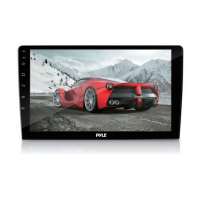

 To Next Page