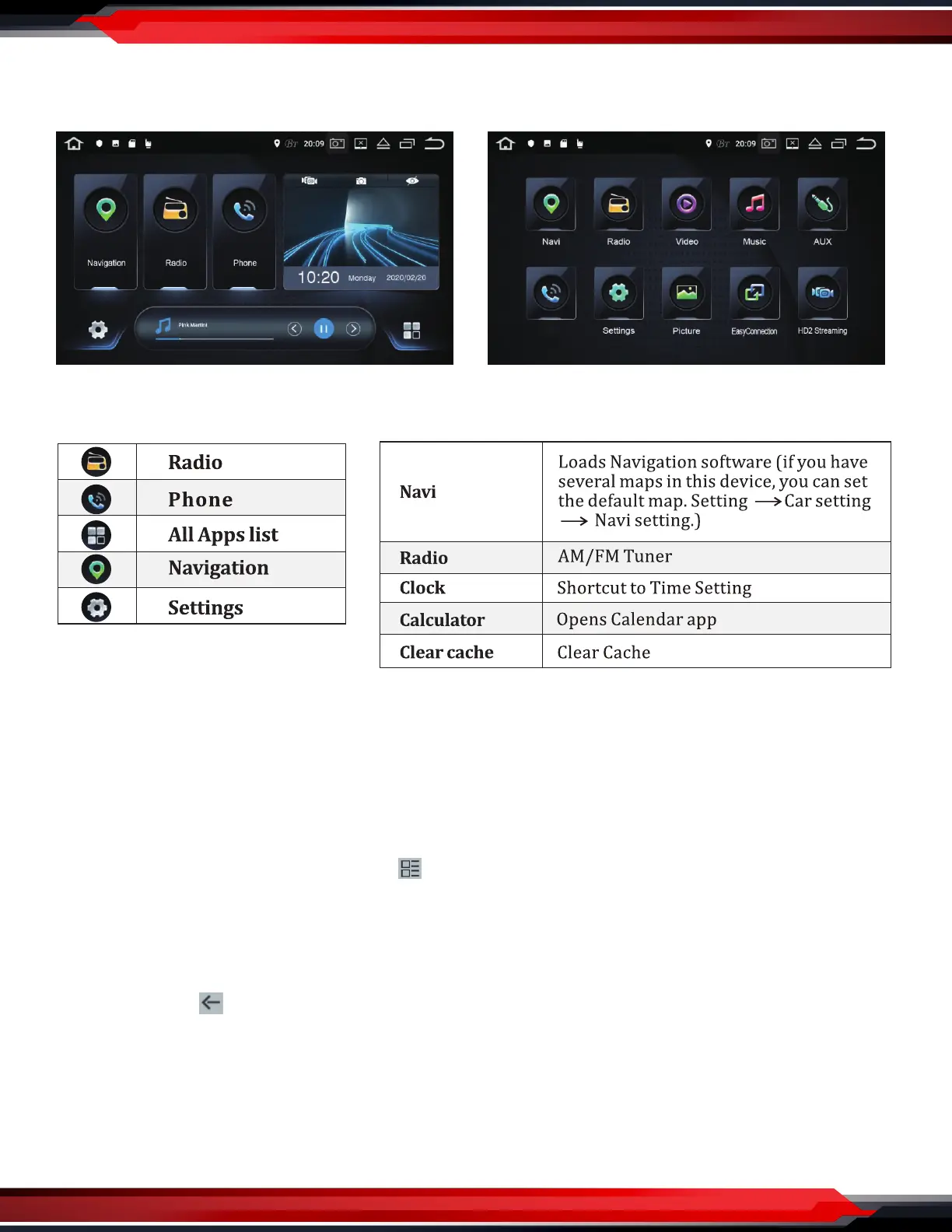
App Screen - Interface Layout
Swipe UP/DOWN to access more apps
Navigation
Click the main interface “navigation” to enter the navigation interface.
If the memory card does not have map data, it will prompt download and enter the map management
interface after conrming.
Clicking icon description
1. Map download: Click the top left corner, “ ” then click oine data, and then click on the oine map,
select the city map data you need to download.
2. Download Management: Download all or pause, also you can click the city to cancel or pause the
download.
3. Download Manager: You can update all apps, click the city to select “delete data” or “update”.
Top left corner, “ ” Return to the previous level interface.
Local music
Click the main interface "music" to enter the local music interface.
This operation is valid when the unit has a SD card or USB interface and the corresponding media les.
www.PyleUSA.com
3
Phone


 To Next Page