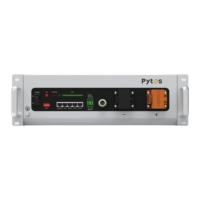
7.1 Unable to start
7.2 Unable to charge
7.3 Unable to discharge
Problem Troubleshooting Steps Solution
Problem Troubleshooting Steps Solution
Press the POWER button to the
"ON" state and press the SW
button for 1 second, but the
LED indicator doesn’t respond
or all the LEDs are off after this
1s duration
1. If the battery enters into
charging mode, it should return to
its normal state after completing
the charging process.
2. If not, please contact the local
reseller or Pytes.
1. Confirm that the POWER
button remains in the "ON"
state;
2. Charge the battery correctly
and observe if the battery can
be charged properly.
The not fully
charged
battery cannot
be charged
properly.
If the battery still
does not charge
properly after
following the
steps, please
contact the local
reseller or Pytes.
1. Confirm that the battery is turned on;
2.Inspect the power cable to make sure that it is correctly
plugged in and that the charging circuit is functioning properly;
3. Check the battery indicator LED to determine if the battery is
under “Protection” state. If so, unplug the battery power cable,
find the cause of the protection, and correct the issue before
restarting the battery.
4. Ensure that the charging voltage meets the battery’s charging
requirements. If not, adjust the power supply voltage to the
proper range.
Problem Troubleshooting Steps Solution
The battery
cannot be
discharged
properly.
If the battery still
does not discharge
properly after
following the above
steps, please
contact the local
reseller or Pytes.
1. Confirm that the battery is turned on;
2. Check the power cables to ensure that they are properly
connected.
3. Unplug the battery power cable and measure the battery power
output voltage. If the battery voltage is too low, charge it immedi-
ately.
4.Check the battery indicator LED to see if the battery is under
“Protection” state. If so, unplug the battery power cables, find the
cause of the protection, resolve the issue, and thereafter restart
the battery.
16



 To Next Page