12
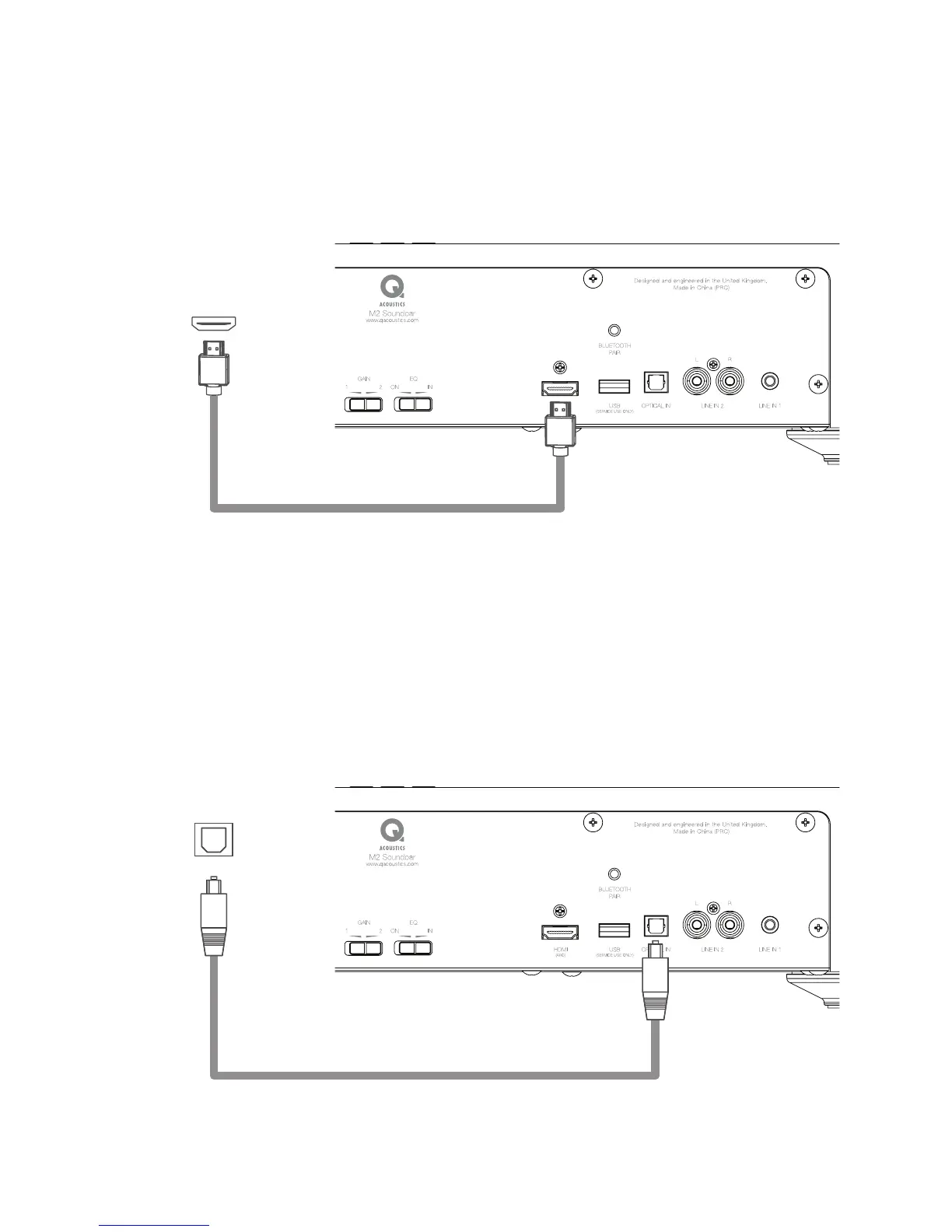
b. HDMI (ARC)
HDMI
™
(ARC) is for connection to the Audio Return Channel (ARC) output on a TV or other source. If there
is a choice between HDMI
™
or Optical connection to the Unit choose HDMI to enable Consumer Electronic
Control (CEC). When the HDMI source is active the status LED will be PURPLE.
Important Note: Audio output of a TV, Blu-ray disc player, games console, or DVD player connected to the
Unit via HDMI, must be set to PCM (two channel stereo) in the source setup.
c. Optical Input
Optical In is for connection to the Digital Optical output on a TV or other source. If there is a choice between
Digital or Analogue connection to the Unit choose Digital for superior audio quality. When the Digital Source
is active the status LED will be WHITE.
Important Note: Audio output of a TV, Blu-ray disc player, games console, or DVD player connected to the
Unit via Optical Digital, must be set to PCM (two-channel stereo) in the source’s setup. Digital connection
to a CD player does not require a special setting.
HDMI
Audio Return Channel
(ARC)
AUDIO OUT
Digital - Optical


 To Next Page