13
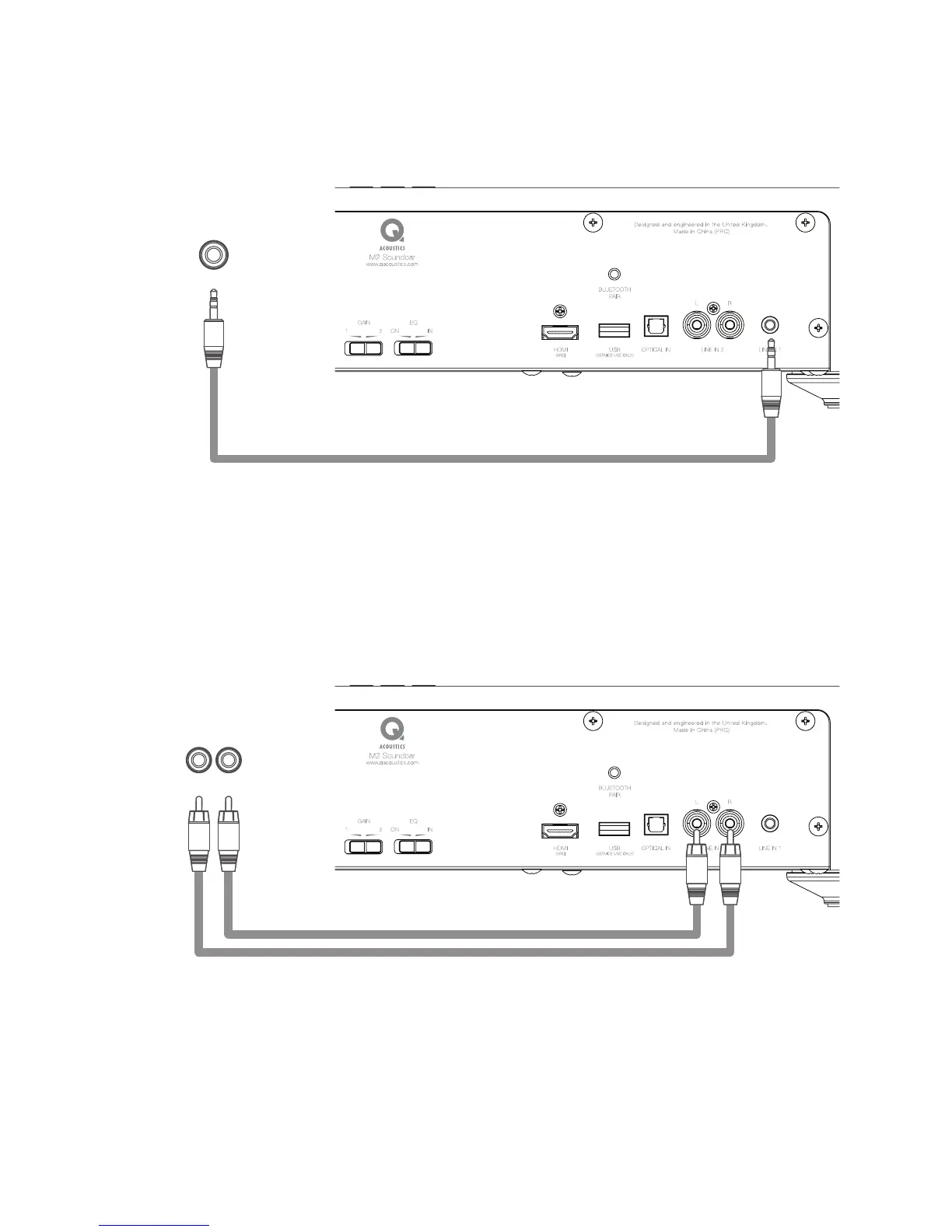
d. Analogue Inputs Line In 1
The Unit has two options for Analogue audio connection. The Status LED will be GREEN when an Analogue
input is in use.
e. Analogue Inputs Line In 2
Connect the RCA L&R audio output from a TV or other source to the LINE IN 2 sockets using a Phono
RCA cable.
Important Note: With a jack plugged into LINE IN 1, LINE IN 2 is switched-off and no audio will be heard
from this source.
Please Note: When connecting to a variable level source, such as a headphone output, better audio quality
will be achieved by having the source set at a higher volume level and the Unit at a lower level, than the
other way around.
AUDIO OUT
Headphones
AUDIO OUT
Analogue


 To Next Page